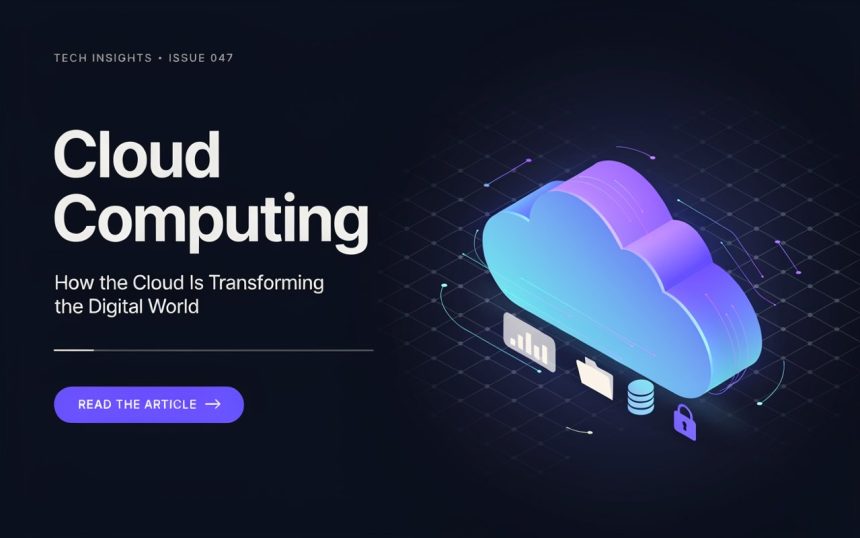
Cloud computing has quietly become part of everyday life. When you save photos online, stream a movie, use web-based office software, back up your phone, shop online, or access a file from another device, there is a good chance cloud technology is working behind the scenes.
But what exactly is the cloud? Why has it become so important, and how does it affect ordinary people, businesses, schools, developers, and organizations?
In simple terms, cloud computing lets individuals and businesses access storage, software, and computing power over the internet without having to depend entirely on their own computers or physical servers. Think of it like electricity. You do not need to own a power station to use electricity; you simply connect to the grid and pay for what you consume. Cloud services follow a similar approach, giving users convenient access to technology and resources through the internet.
This article explains how cloud computing works, its major types, benefits, limitations, security concerns, real-world applications, and what its future could look like.
What Is Cloud Computing?
Cloud computing is a technology that delivers storage, software, processing power, and other digital resources over the internet. These services can include storage, processing power, databases, networking, software, analytics, artificial intelligence, and more.
Traditionally, businesses that needed to store large amounts of data or run demanding applications had to invest in their own physical servers. Those machines required space, electricity, cooling, maintenance, security, and technical staff.
Cloud technology changes that model.
Instead of purchasing and maintaining all the necessary hardware, organizations can access computing resources on demand from a cloud provider. Individuals can do something similar when they use online storage or web-based applications.
The important point is that the physical machines still exist. The word “cloud” does not mean that information floats somewhere in the sky. Although the cloud feels virtual, your data is ultimately stored on physical servers housed in secure data centers.
The difference is that users do not need to manage those machines directly.
A Simple Example
Imagine you’re working on a document at home. Instead of saving it only on your laptop, you store it in an online service, allowing you to access it from other devices whenever you need it.
Later, you can open the same document on your phone and continue working right where you left off. You can see the latest version because the file is stored remotely and synchronized through the internet.
That simple experience is one of the most familiar examples of cloud technology.
How Does Cloud Computing Work?
Although the technology behind it can be complicated, the basic idea is surprisingly straightforward.
Cloud providers operate large networks of servers and other hardware. These systems are connected through high-speed networks and supported by specialized software.
When you use a cloud service, your device sends a request over the internet to the provider’s servers, which then process it and return the requested information. The provider’s infrastructure processes that request and sends the result back.
For example, when you watch a video online, the entire movie does not necessarily need to be stored on your phone. The service streams the requested content to your device in real time as you watch.
The same concept applies to online storage, email, web applications, gaming platforms, business software, and many other services.
Data Centers Behind the Cloud
Data centers form the physical backbone of cloud services, housing the servers and infrastructure that keep digital resources running.
A modern data center may contain thousands of servers, storage systems, networking equipment, backup systems, power supplies, cooling systems, and security controls.
Cloud companies typically operate multiple facilities in different locations. This can help them continue providing services if one facility experiences an outage or technical problem.
Virtualization and Resource Sharing
One of the key technologies powering cloud platforms is virtualization, which allows a single physical server to run multiple virtual environments efficiently.
Virtualization allows a powerful physical machine to be divided into multiple virtual environments. Each environment can behave like an independent computer.
This allows cloud providers to use their hardware more efficiently while serving multiple customers at the same time.
A business might therefore use a virtual server without owning the physical machine underneath it.
Major Types of Cloud Computing
Cloud services are commonly divided into several categories. Understanding these models makes it easier to see how organizations choose and use cloud technology for different needs.
Public Cloud
A public cloud is operated by a third-party provider and made available to many customers.
Users typically pay only for the resources and services they actually use, making cloud computing a flexible and cost-effective option.
This approach is popular because organizations do not have to purchase and maintain all the underlying infrastructure themselves.
Public cloud services can benefit a wide range of users, from startups and small businesses to developers, large enterprises, and individuals.
Private Cloud
A private cloud is designed for a specific organization.
A private cloud gives organizations greater control over their infrastructure, applications, and data, making it a suitable choice for businesses with strict security requirements, regulatory obligations, or specialized workloads.
However, private environments can require more management and investment.
Hybrid Cloud
A hybrid cloud combines private infrastructure with public cloud services, giving organizations greater flexibility in managing their data and applications.
For example, a company might keep sensitive information in a controlled environment while using public resources for applications that need additional capacity.
This approach can provide flexibility, although managing multiple environments can become technically demanding.
Multi-Cloud
Multi-cloud refers to using services from multiple cloud providers, allowing organizations to choose the best solutions for their specific needs.
Organizations may use different providers for storage, computing, databases, analytics, and specialized applications, choosing the services that best fit their specific requirements.
This can reduce dependence on a single provider, but it also introduces additional management complexity.
Cloud Service Models Explained
Another useful way to understand cloud computing is to look at the level of service a provider manages.
Infrastructure as a Service
Infrastructure as a Service, commonly called IaaS, provides fundamental computing resources such as virtual machines, storage, and networking.
The customer has more control over the software environment but is generally responsible for managing operating systems, applications, and configurations.
This model is ideal for organizations that need flexibility without the expense of purchasing and maintaining physical infrastructure.
Platform as a Service
Platform as a Service (PaaS) provides developers with a ready-to-use environment for building, testing, and running applications without managing the underlying infrastructure.
Instead of spending significant time configuring servers, developers can focus more heavily on writing and improving software.
This can accelerate development, streamline testing, and give teams more freedom to experiment with new ideas.
Software as a Service
Software as a Service, known as SaaS, provides complete applications through the internet.
Email platforms, online accounting tools, collaboration software, customer management systems, and many productivity applications follow this model.
Users usually access the software through a browser or application rather than installing and maintaining everything locally.
For ordinary users, SaaS is often the most visible form of cloud computing.
Why Is Cloud Computing So Important?
One reason cloud technology has grown so quickly is its ability to change how organizations acquire and use computing resources.
In the past, a company might have needed to predict how much computing power it would require several years into the future.
That could create a difficult problem.
If the company purchased too much hardware, money could be wasted. If it purchased too little, systems might struggle during periods of high demand.
Cloud platforms provide a more flexible alternative.
Scaling Resources When Needed
Suppose an online store receives ten times more visitors during a major sale. Its technology requirements can increase dramatically.
Cloud infrastructure can allow the company to add resources when demand rises and reduce them afterward.
This ability to scale is one of the biggest advantages of cloud-based systems.
Supporting Remote Work
Cloud applications have also transformed the workplace.
Employees can access documents, communication platforms, project management tools, and business systems from different locations.
This does not mean every cloud service is automatically secure or suitable for remote work. Organizations still need appropriate access controls and policies.
Nevertheless, cloud technology has made geographically distributed work much easier.
Benefits of Cloud Computing
Cloud technology offers advantages for both individuals and organizations.
Lower Infrastructure Costs
Companies do not always need to purchase large amounts of hardware before launching a service.
Instead, they can rent resources according to their requirements.
This can reduce upfront investment, particularly for startups and smaller organizations.
Greater Flexibility
Cloud platforms can allow users to increase or decrease resources relatively quickly.
This flexibility is useful when demand changes unexpectedly.
Easier Collaboration
When information is stored online, multiple authorized users can potentially work with the same resources from different locations.
Teams can share documents, communicate, manage projects, and collaborate without needing to be in the same physical office.
Automatic Updates
Many cloud applications are updated by the provider.
Users do not necessarily need to download and install every update manually.
This can simplify software maintenance.
Backup and Recovery
Cloud services can provide backup capabilities that help organizations protect information from hardware failures and other incidents.
However, users should not assume that every cloud provider automatically provides perfect backup protection. Backup policies, retention periods, and recovery options vary between services.
Access From Multiple Devices
Cloud-based information can often be accessed from computers, tablets, and smartphones.
This provides convenience for people who regularly switch between devices.
Cloud Computing in Everyday Life
You may use cloud services more often than you realize.
When you check webmail, your messages are generally stored on remote systems.
When you synchronize photos between devices, cloud storage may be involved.
When you stream music or video, remote infrastructure delivers the content.
When you use an online map, the application communicates with remote servers to retrieve information and services.
Even many modern smartphone features depend on online infrastructure.
Entertainment
Streaming services are a major example.
Instead of purchasing and storing every movie or song locally, users can access enormous libraries over the internet.
The provider manages the underlying storage and delivery infrastructure.
Online Storage
Cloud storage allows people to keep files remotely and access them from different devices.
It can also make file sharing easier.
Gaming
Modern online games can depend on cloud infrastructure for multiplayer services, account systems, updates, matchmaking, and other functions.
Cloud gaming goes even further by processing parts of the game experience remotely and streaming the results to the player.
Cloud Computing for Businesses
Businesses of almost every size now use cloud-based technology.
A small company might use online accounting and email services, while a multinational corporation may operate large-scale applications across several cloud environments.
Customer Management
Cloud-based customer relationship systems can help companies organize customer information, sales activity, communication, and support.
Employees can access relevant information without maintaining separate local databases.
Business Analytics
Companies generate enormous amounts of information.
Cloud platforms can provide the storage and processing capacity required to analyze that information.
Businesses can use analytics to understand customers, monitor operations, identify patterns, and support decision-making.
E-Commerce
Online stores need systems capable of handling product information, payments, orders, customer accounts, and website traffic.
Cloud infrastructure can provide the flexibility required to support changing demand.
Startups
Cloud technology has lowered some barriers to launching technology businesses.
A startup does not necessarily need to build a large data center before testing its idea.
Instead, it can begin with a relatively small amount of infrastructure and expand as the business grows.
Cloud Security and Privacy
Security is one of the most important topics surrounding cloud computing.
Some people assume that storing information online is automatically unsafe. Others believe that cloud providers can protect everything without any effort from the customer.
Neither view is completely accurate.
Cloud security is a shared responsibility.
Providers protect their infrastructure, while customers must usually protect accounts, permissions, applications, and data according to the service they are using.
Strong Passwords and Authentication
A compromised account can expose valuable information even when the cloud provider has strong security.
Users should therefore use strong, unique passwords and enable multi-factor authentication whenever available.
Access Controls
Not every employee needs access to every file or system.
Organizations can reduce risk by giving people only the permissions required for their responsibilities.
Encryption
Encryption can help protect information while it is being transmitted or stored.
Different services provide different encryption capabilities, so organizations should understand the protection included with each service.
Privacy Concerns
Cloud services may process significant amounts of personal and business information.
Users should understand what information is collected, how it is used, where it may be stored, and what controls are available.
Privacy is particularly important for organizations handling financial, customer, healthcare, educational, or other sensitive information.
Challenges and Disadvantages of Cloud Computing
Cloud computing is powerful, but it is not perfect.
Understanding its limitations is just as important as understanding its benefits.
Internet Dependence
Many cloud services depend heavily on an internet connection.
If connectivity is slow or unavailable, access to online resources can become difficult.
Service Outages
Even major cloud providers can experience outages.
A problem at the provider level may affect many customers at the same time.
Businesses should therefore have appropriate continuity and recovery plans.
Unexpected Costs
Cloud services can reduce infrastructure expenses, but careless usage can also create surprisingly large bills.
Organizations need monitoring, budgets, usage limits, and cost-management practices.
Vendor Dependence
Moving an application or database from one provider to another may not always be simple.
Differences in technologies and services can create switching costs.
Data Management
Organizations remain responsible for understanding their information.
Poorly configured permissions, weak credentials, or careless data handling can create serious problems regardless of where the information is stored.
Cloud Computing and Emerging Technologies
Cloud computing is closely connected with many newer areas of technology.
Artificial Intelligence
Artificial intelligence systems often require substantial computing resources.
Cloud platforms can provide access to powerful processors and specialized hardware without requiring every organization to purchase its own machines.
This has helped make advanced AI tools more accessible.
Internet of Things
Connected devices can generate enormous amounts of information.
Cloud infrastructure can help collect, store, and analyze this data.
Smart homes, industrial sensors, connected vehicles, and wearable devices can all interact with cloud-based systems.
Big Data
Organizations increasingly analyze large and complex datasets.
Cloud platforms can provide scalable storage and processing capabilities that support these workloads.
Edge Computing
Cloud computing does not mean every task must happen in a distant data center.
Edge computing moves certain processing tasks closer to the devices generating or using the information.
This can be useful when applications need very fast responses.
For example, industrial equipment or autonomous systems may benefit from processing information locally rather than sending every request to a remote location.
The Future of Cloud Computing
The cloud is likely to become even more deeply integrated into everyday technology.
Future systems may become less visible to users while becoming more important behind the scenes.
Artificial intelligence, automation, connected devices, edge computing, and advanced networking are expected to work together with cloud platforms.
More Intelligent Infrastructure
Cloud environments are increasingly capable of automating routine tasks.
Systems can monitor workloads, identify unusual activity, adjust resources, and support application management.
This could reduce the amount of manual work required to operate complex technology environments.
More Flexible Computing
Organizations will increasingly choose where workloads should run based on performance, cost, security, and business requirements.
Some applications may operate primarily in centralized cloud environments, while others may use local or edge infrastructure.
Sustainable Data Centers
Data centers consume substantial amounts of electricity.
As demand for digital services grows, improving energy efficiency will become increasingly important.
Cloud providers are investing in more efficient infrastructure, renewable energy, improved cooling systems, and other approaches intended to reduce environmental impact.
The challenge will be balancing growing demand for computing with responsible resource use.
How to Choose the Right Cloud Service
For individuals, selecting a cloud service may be relatively simple. For businesses, the decision requires more careful consideration.
Before choosing a provider or platform, ask several questions.
What do you actually need?
Do you need file storage, business software, application hosting, databases, analytics, or something else?
Choosing based only on popularity can lead to unnecessary complexity.
How secure is the service?
Review authentication options, encryption, access controls, compliance features, and security policies.
What will it cost over time?
Do not focus only on the initial price.
Consider storage, bandwidth, additional features, support, backups, and potential growth.
Can you recover your data?
Understand backup and recovery options before depending heavily on a service.
Can you move later?
Consider whether your data and applications can be transferred if your organization eventually decides to change providers.
These questions can prevent expensive surprises.
Conclusion
Cloud computing has changed the relationship between people, software, data, and physical infrastructure. Instead of requiring every individual or organization to own and maintain all of its computing equipment, the cloud makes many resources available through the internet.
From storing family photos and streaming entertainment to running global businesses and supporting artificial intelligence, cloud technology has become an important part of modern digital life.
The technology is not without risks. Security, privacy, cost management, outages, internet dependence, and provider lock-in all deserve careful attention. However, when used thoughtfully, cloud services can provide flexibility, accessibility, scalability, and powerful computing capabilities.
The most interesting part is that the cloud is no longer simply a technology category. It is becoming part of the foundation on which many other technologies are built.
Frequently Asked Questions
1. What is cloud computing in simple terms?
Cloud computing means using computing resources such as storage, software, servers, and processing power through the internet instead of relying entirely on local hardware.
2. Is cloud computing safe?
Cloud computing can be highly secure, but safety depends on both the provider and the customer’s practices. Strong authentication, proper permissions, encryption, monitoring, and good data-management policies are important.
3. Do I need the cloud for everyday technology?
You may already use cloud services without realizing it. Online email, photo synchronization, streaming platforms, web applications, backups, and many smartphone services commonly rely on remote infrastructure.
4. What is the difference between public and private cloud?
A public cloud provides computing services through shared provider infrastructure for multiple customers. A private cloud is designed for one organization and generally provides greater control over its environment.
5. Will cloud computing replace physical computers?