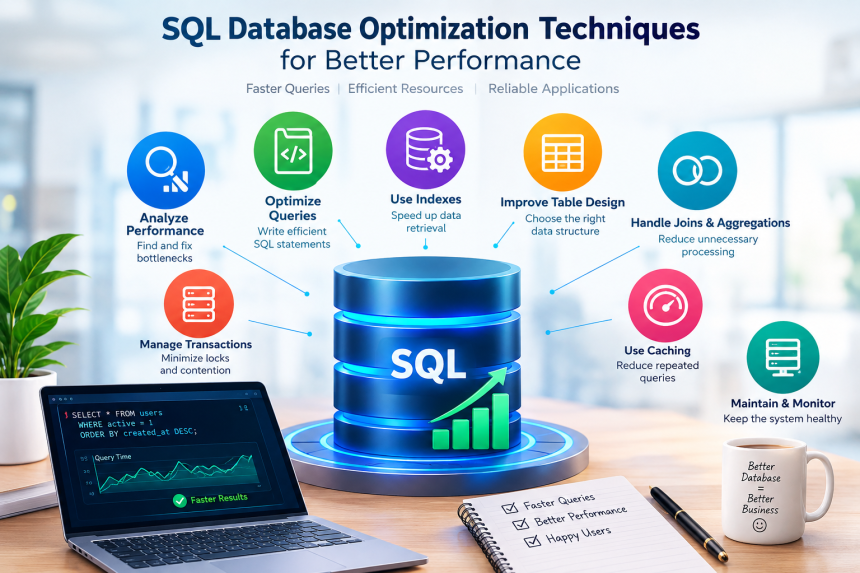
Have you ever wondered why a website loads quickly one day but takes several seconds to respond the next? One possible reason is that its database is struggling to handle requests efficiently. Databases store and organize the information that websites, mobile applications, online shops, and business systems depend on every day. When a database becomes slow, the entire application can suffer.
The good news is that improving database performance does not always require expensive hardware or a complete system redesign. By using the right techniques, you can reduce unnecessary work, retrieve information faster, and make applications more reliable. From creating suitable indexes to improving SQL queries and managing server resources, small changes can produce meaningful results.
In this guide, we will explore practical ways to improve database speed, understand common performance problems, and keep data systems running smoothly as they grow.
1. Understand Database Performance Before Making Changes
Before optimizing a database, you need to understand what is making it slow. Changing settings without identifying the actual problem is like repairing a car without checking why it has stopped. You might spend time and money without fixing anything.
Identify common performance symptoms
Several signs can indicate that your database needs attention:
- Queries take longer than usual to retrieve and display results.
- Web pages load slowly when displaying database information.
- Applications become unresponsive when many people use them simultaneously.
- Reports take minutes or hours to complete.
- Database servers experience unusually high CPU or memory usage.
- Users encounter timeouts, failed transactions, or repeated errors.
These symptoms can have different causes. A slow report might be scanning millions of unnecessary records, while a website may be waiting for several database requests to finish one after another.
Use monitoring tools to find the cause
Database monitoring helps you observe query execution time, server resource consumption, active connections, and transaction activity. Many database platforms include built-in monitoring features.
For example, PostgreSQL provides tools such as pg_stat_activity and pg_stat_statements. MySQL offers Performance Schema and the sys schema, while SQL Server includes Query Store and execution plan tools.
Focus first on queries that consume the most total time or run frequently. A query that takes two seconds and runs thousands of times may have a greater overall impact than a query that takes five seconds but runs once a week.
Establish a performance baseline before making changes. Record typical response times, resource usage, and query volumes. You can then compare the results after each improvement and determine whether the change actually helped.
2. Optimize SQL Queries for Faster Results
The way you write an SQL query can significantly affect how much work a database must perform. A well-written query retrieves the required information with minimal effort, while a poorly designed one may examine unnecessary records, repeat calculations, or process excessive amounts of data.
Retrieve only the columns you need
One common mistake is using SELECT * when an application requires only a few fields. This instructs the database to return every available column, potentially increasing disk activity, memory usage, and network traffic.
For example, consider this query:
SELECT *
FROM customers;
If you only need customer names and email addresses, use a more specific query to retrieve only the required information.
SELECT customer_name, email
FROM customers;
The second query makes the application’s requirements clearer and can reduce the amount of data transferred. Depending on the database design and available indexes, it may also allow the database to satisfy the request without reading the full table.
Filter records as early as practical
Use a suitable WHERE clause to restrict results to the records you actually need.
SELECT order_id, order_date, total_amount
FROM orders
WHERE customer_id = 105
  AND order_date >= '2026-01-01';
This query requests orders belonging to one customer from a particular date onward. With appropriate indexes, the database may locate matching records without examining the entire table.
Avoid unnecessary calculations and repeated work
Complex expressions, repeated subqueries, and unnecessary sorting can increase execution time. If the same calculation is performed repeatedly, consider whether it can be simplified or safely calculated once.
However, shorter SQL is not automatically faster SQL. The database optimizer may transform different queries into similar execution plans. The best approach is to write clear queries, inspect how they execute, and test their performance against realistic data.
3. Use Database Indexes Effectively
Indexes are among the most important tools for improving query performance. An index helps a database locate particular records without examining every row in a table.
Think of a database table as a large library. Without a catalogue, finding one specific book might require checking every shelf. An index works like that catalogue, directing you toward the information you need.
Create indexes on frequently searched columns
Indexes can be especially helpful for columns used in:
WHEREconditions.- Table joins.
ORDER BYoperations.- Certain grouping and aggregation operations.
- Frequently used lookup requests.
For example, if an application regularly searches orders by customer ID, an index may improve performance:
CREATE INDEX idx_orders_customer_id
ON orders (customer_id);
The database can use this index to locate matching orders more efficiently, particularly when the table contains many records.
Understand composite indexes
Sometimes a query filters records using more than one column. In that situation, a composite index may be useful.
CREATE INDEX idx_orders_customer_date
ON orders (customer_id, order_date);
This index may help queries that filter by customer_id and then restrict results by order_date. The order of the columns matters because many database engines use the leading columns of a composite index most effectively.
For example, an index on (customer_id, order_date) is generally better suited to searches beginning with customer_id than to searches filtering only by order_date.
Avoid creating too many indexes
Indexes are not free. They consume storage and must be maintained when records are inserted, updated, or deleted. An excessive number of indexes can slow down write operations and increase maintenance costs.
Review index usage regularly, identify redundant indexes, and remove unused ones only after confirming that they are not needed for occasional but important queries. The objective is to create the right indexes for real workloads, not to index every column.
4. Analyze Query Execution Plans
How can you know whether a query is using an index, scanning an entire table, or spending most of its time sorting records? Query execution plans help answer these questions.
An execution plan describes how the database intends to retrieve and process data. Depending on the platform and tool, you may be able to examine an estimated plan or an actual plan containing runtime information.
Use the appropriate plan-analysis tool
Different database systems provide different commands:
- PostgreSQL:
EXPLAINandEXPLAIN ANALYZE. - MySQL:
EXPLAINand, in supported versions,EXPLAIN ANALYZE. - SQL Server: estimated and actual execution plans.
For example, in PostgreSQL:
EXPLAIN ANALYZE
SELECT order_id, order_date
FROM orders
WHERE customer_id = 105;
EXPLAIN ANALYZE executes the query and reports actual execution details. Use it carefully with queries that modify data, and remember that its reported execution time may not include all client-side or network delays.
Learn to recognize costly operations
An execution plan can reveal full table scans, inefficient joins, expensive sorting, and large differences between estimated and actual row counts.
A sequential scan is not always a problem. If a table is small or a query needs most of its rows, reading the table directly may be more efficient than using an index.
Likewise, an index scan is not automatically the best choice. The database optimizer evaluates available strategies based on table statistics, data distribution, and estimated costs.
After reviewing a plan, change one thing at a time. You might add an appropriate index, rewrite a filter, or update statistics. Then run the query again and compare the results. This evidence-based process is much more dependable than guessing.
5. Improve Table Design and Data Organization
A database’s structure influences how efficiently information can be stored, retrieved, and maintained. Good table design reduces unnecessary duplication, supports reliable relationships, and makes queries easier to understand.
Choose appropriate data types
Use data types that match the information being stored. For example, an integer is often more appropriate for a whole-number identifier than a large text field. Dates should generally use suitable date or timestamp types rather than inconsistently formatted strings.
Appropriate data types can reduce storage requirements, improve data validation, and simplify comparisons. They also prevent avoidable conversion operations that may interfere with efficient query execution.
For instance, comparing a date column against a string in an incompatible format can cause conversion problems or unexpected results. Use properly typed values and parameters instead.
Normalize related information
Normalization is the process of organizing data into related tables to reduce unnecessary duplication. In a retail database, customer details might be stored in a customers table while individual purchases are stored in an orders table.
Instead of repeating a customer’s full address in every order record, the orders table can reference the customer through an identifier. This makes updates easier and reduces the risk of inconsistent information.
Avoid excessive fragmentation of data
Although normalization is useful, dividing information into too many tables can make common queries more complicated because they require additional joins. In some high-volume systems, carefully controlled denormalization may improve read performance by storing selected information in a form that is easier to retrieve.
For example, an analytics application might maintain a summary table containing daily sales totals rather than calculating every total from millions of individual transactions each time a report runs.
The key is balance. Start with a sound relational design, measure the workload, and introduce additional summaries or duplicated data only when the benefits justify the extra complexity and consistency requirements.
6. Make Joins, Sorting, and Aggregations More Efficient
Many applications retrieve information from multiple tables. SQL joins, sorting operations, and aggregate calculations are therefore common sources of performance problems.
Optimize table joins
A join connects related records from different tables. For example:
SELECT c.customer_name, o.order_date
FROM customers AS c
JOIN orders AS o
  ON c.customer_id = o.customer_id
WHERE c.customer_id = 105;
For this query, an index on the relevant customer identifier in the orders table may help the database locate matching orders. The primary key or unique index on the customers table also supports efficient lookups.
Check that join columns have compatible data types and that the join condition reflects the intended relationship. Joining tables on inappropriate columns can create enormous intermediate results and produce incorrect answers.
Sort only when necessary
Sorting a large result set can require considerable memory and processing time. If an application does not need records in a particular order, avoid adding an unnecessary ORDER BY clause.
When sorting is required, an appropriate index may help, depending on the query, index structure, filtering conditions, and database engine. Always test the actual execution plan rather than assuming an index will eliminate the sorting operation.
Use aggregation carefully
Functions such as COUNT(), SUM(), and AVG() are useful for reports and dashboards, but they can become expensive when applied repeatedly to large datasets.
For example:
SELECT customer_id, SUM(total_amount) AS total_spent
FROM orders
GROUP BY customer_id;
This query calculates total spending for each customer. If it runs occasionally, the cost may be acceptable. If it runs every few seconds over a rapidly growing table, a summary table or precomputed aggregate may be worth considering.
Be careful when changing queries that involve grouping or joins. An optimization should preserve the original meaning of the results, including how duplicate rows, missing values, and nulls are handled.
7. Use Pagination and Limit the Amount of Data Retrieved
Applications often display information in manageable sections rather than loading every record at once. This approach, called pagination, improves responsiveness and can reduce database and network workloads.
Use limits for smaller result sets
In a supported SQL dialect, a query might look like this:
SELECT product_id, product_name, price
FROM products
ORDER BY product_id
LIMIT 20;
This example retrieves up to 20 products. It is useful for a small listing, although the database may still need to examine or sort many records before identifying the requested rows.
Pagination also requires a predictable ordering. Without an appropriate ORDER BY clause, the database does not guarantee that records will appear in a consistent sequence.
Understand the limitations of offset pagination
A common approach uses LIMIT and OFFSET:
SELECT product_id, product_name
FROM products
ORDER BY product_id
LIMIT 20 OFFSET 1000;
This requests 20 records after skipping the first 1,000. On large datasets, high offsets can become inefficient because the database may still need to process many skipped records.
Keyset pagination is often a better option for large, frequently accessed listings. Instead of skipping earlier records, it starts after the last value received.
SELECT product_id, product_name
FROM products
WHERE product_id > 1000
ORDER BY product_id
LIMIT 20;
This example assumes that product_id provides a suitable unique ordering and that the next page should start after ID 1000. With an appropriate index, the database can often find the next set of records more efficiently.
Pagination improves user experience, but it should be designed around how people navigate the data and how frequently the underlying records change.
8. Manage Transactions and Database Connections
A database can have excellent indexes and efficient queries yet still perform poorly when too many operations compete for the same resources. Transaction management and connection handling help prevent these problems.
Keep transactions as short as practical
A transaction groups database operations into a unit of work. It allows related changes to succeed or fail together, helping maintain data consistency.
However, long-running transactions can hold locks, delay other requests, and increase contention. A transaction that remains open while an application waits for a user to complete a form can create unnecessary problems.
Whenever possible, perform non-database work before opening a transaction, execute the required changes, and commit promptly. Do not sacrifice data integrity simply to shorten transactions; instead, structure the work carefully.
Prevent unnecessary locking
Locks help prevent conflicting operations from corrupting data. Yet transactions that lock the same records in different orders can block one another and may contribute to deadlocks.
Monitor blocked sessions and identify the transactions responsible. Appropriate indexes, shorter transactions, and consistent access patterns can reduce contention. Isolation levels should be selected according to the application’s correctness requirements, not simply lowered to make queries appear faster.
Use connection pooling
Opening a new database connection for every request can create unnecessary overhead. Connection pooling allows an application to reuse established connections instead.
A properly configured pool can reduce connection setup time and help control the number of simultaneous database sessions. However, setting the pool size too high may overwhelm the database, while setting it too low may cause requests to wait unnecessarily.
Choose connection limits based on measured workload, database capacity, application concurrency, and the behavior of the database driver. Monitor connection waits and active sessions after making changes.
9. Improve Caching and Reduce Repeated Queries
What if your application keeps requesting the same information even though it rarely changes? Repeating identical database work wastes resources. Caching can help by temporarily storing results so that subsequent requests can retrieve them more quickly.
Use caching for frequently requested information
Useful candidates may include product categories, public configuration settings, navigation menus, and other data that changes infrequently.
Caching can exist at several levels:
- Application-level caches store results within the application.
- Distributed caches allow multiple application instances to share cached data.
- Database buffer caches keep frequently accessed data pages in memory.
- Materialized views or summary tables store selected query results for later use.
Each approach solves a different problem. A database buffer cache can reduce physical disk reads, while an application cache may avoid sending a query to the database at all.
Plan for cache expiration and consistency
Cached information can become outdated when the original data changes. For example, an online shop must avoid showing an old product price for too long, particularly during checkout.
You can manage this risk through expiration rules, event-based invalidation, or explicit cache updates after important changes. Critical operations should still verify authoritative data when necessary.
Reduce repeated queries inside applications
An application may also suffer from the N+1 query problem. This occurs when it executes one query to retrieve a list of records and then performs another query for each individual record.
Imagine loading 100 orders and issuing a separate database query to retrieve the customer details for every order. That can produce 101 queries where a more efficient join or batch lookup might accomplish the same task with far fewer requests.
Review application logs and query traces to identify repeated patterns. Reducing unnecessary round trips can improve performance even when each individual query appears reasonably fast.
10. Maintain Statistics, Server Resources, and Database Health
Database optimization is not a one-time activity. As tables grow and information changes, the conditions that once made a query efficient may no longer apply.
Keep optimizer statistics up to date
Database engines use statistics to estimate how many rows a query will return and to choose an execution strategy. If these statistics are outdated, the optimizer may select a less effective plan.
Many systems update statistics automatically, but large data changes, unusual workloads, or disabled maintenance tasks may require additional attention.
PostgreSQL provides ANALYZE, while MySQL supports ANALYZE TABLE. SQL Server also maintains statistics and offers commands to update them when appropriate.
Follow the recommendations for your particular database engine and version. Statistics maintenance can improve plan selection, but it does not guarantee that every query will become faster.
Monitor memory, CPU, storage, and disk activity
A database depends on more than SQL syntax. Insufficient memory can lead to additional disk activity, CPU limitations can slow complex calculations, and storage bottlenecks can delay reads and writes.
Track resource usage over time, particularly during busy periods. Look for patterns such as a sudden increase in disk latency, frequent memory pressure, or CPU saturation associated with specific queries.
Do not immediately increase hardware capacity whenever performance drops. First establish whether the bottleneck comes from inefficient queries, excessive concurrency, missing indexes, or an actual resource shortage.
Schedule routine maintenance
Maintenance requirements vary by platform. Depending on the engine, tasks may include updating statistics, checking index health, vacuuming tables, managing transaction logs, and reviewing storage growth.
For example, PostgreSQL uses vacuuming to reclaim reusable space and support transaction visibility maintenance. Other platforms have different mechanisms and recommended schedules.
Backups are equally important. Performance changes, index rebuilds, schema modifications, and configuration updates should be planned with appropriate recovery procedures. A faster database is not useful if an optimization introduces data loss or makes recovery impossible.
11. Test Changes and Build a Continuous Optimization Process
The most reliable way to improve database performance is to measure the impact of each change. A technique that helps one application may provide little benefit to another because data volume, query patterns, and hardware conditions differ.
Test with realistic workloads
Use representative data volumes and query patterns whenever possible. A query that performs well against 500 sample records may behave very differently when it must handle five million records.
Where feasible, test changes in a staging environment before deploying them to production. Compare response times, throughput, CPU usage, memory consumption, and locking behavior before and after each change.
For example, if you add an index to speed up customer searches, also measure the effect on inserts and updates. An improvement in one area should not create an unacceptable slowdown elsewhere.
Set meaningful performance targets
Instead of relying on a vague goal such as making the database faster, define measurable targets. You might aim to reduce the typical response time of a frequently used query, improve the number of requests handled per second, or reduce the frequency of timeouts.
Consider both average response time and slower requests. The 95th percentile, commonly called p95 latency, indicates the response time below which 95% of measured requests finish. It can reveal user-facing delays that averages hide.
Document and review improvements
Keep records of the problem, the change you made, and the results you observed. This makes it easier to identify successful techniques, reverse unsuccessful changes, and understand why performance shifts over time.
Review database metrics regularly and revisit important queries as usage grows. Continuous monitoring helps you address emerging problems before they become serious disruptions.
Frequently Asked Questions
1. What is SQL database optimization?
SQL database optimization is the process of improving how a database stores, retrieves, and processes information. It involves techniques such as query tuning, indexing, better table design, execution plan analysis, caching, and resource management. The objective is to improve response times and efficiency while preserving data accuracy and reliability.
2. How do indexes improve database performance?
Indexes help a database locate specific records without scanning an entire table in many common search operations. They can improve filtering, joins, and certain sorting tasks. However, indexes require storage and maintenance, so adding too many can slow down insert, update, and delete operations.
3. Why are SQL queries sometimes slow?
Queries may be slow because of missing or unsuitable indexes, inefficient joins, excessive sorting, outdated statistics, large result sets, or resource limitations. Network delays, application design, locking, and connection problems can also contribute. Execution plans and monitoring tools help identify the actual cause.
4. How often should a database be optimized?
Database performance should be monitored continuously, with regular reviews based on workload and business needs. Routine maintenance should follow the database engine’s recommendations. Additional optimization may be necessary after major data growth, application changes, increased traffic, or noticeable performance degradation.
5. Can caching replace database optimization?
No. Caching can reduce repeated database requests and speed up frequently accessed information, but it does not solve every underlying performance problem. Inefficient queries, missing indexes, locking issues, and resource bottlenecks may still need attention. A combination of effective database design, query tuning, monitoring, and caching usually provides better results.
Conclusion
Improving database performance involves much more than adding indexes or purchasing faster servers. It requires understanding how an application uses data, identifying bottlenecks, writing efficient SQL, designing appropriate tables, and managing transactions and resources carefully.
Start with measurable problems, use execution plans to investigate them, and test each improvement before deploying it. Combine sensible indexing, effective caching, efficient pagination, and routine maintenance to build a database that remains responsive as demand increases.
Most importantly, remember that optimization is an ongoing process. When you monitor performance consistently and make decisions based on evidence, you can deliver faster applications, reduce unnecessary costs, and provide users with a more reliable experience.