

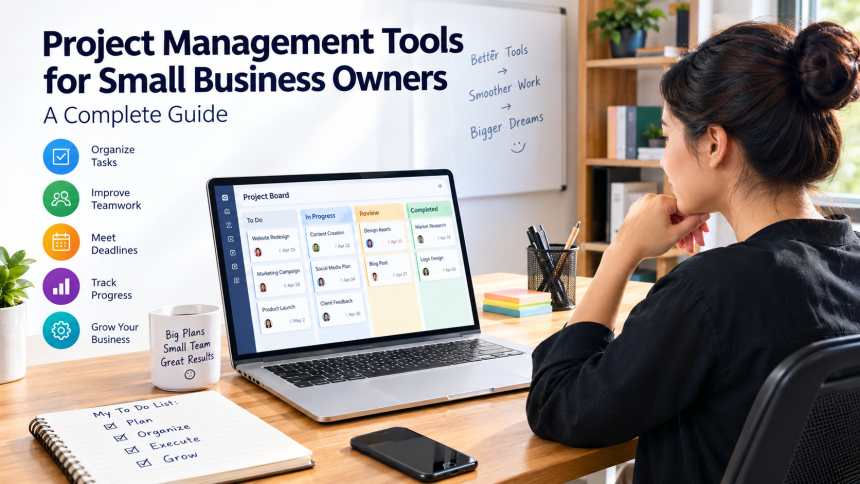
Running a small business means wearing many hats. One day, you might manage customer orders, and the next, you could be checking deadlines, organizing employees, or following up on unpaid invoices. With so many responsibilities competing for your attention, keeping everything organized can quickly become a challenge.
Project management software helps streamline daily tasks, improve team collaboration, and keep your business running smoothly. The right platform helps you organize tasks, manage deadlines, improve teamwork, and track progress without creating unnecessary complications. Whether you run a marketing agency, an online store, a consultancy, or a local service business, having a clear system can make your daily work easier.
In this guide, we will explore how to choose the right software, compare popular options, understand essential features, and build a practical workflow that supports your business as it grows.
1. What Are Project Management Tools and Why Do Small Businesses Need Them?
Project management tools are digital solutions that help businesses plan projects, organize tasks, assign responsibilities, and track progress efficiently. Instead of keeping project details in scattered emails, notebooks, and spreadsheets, you can manage important information in one central location.
Imagine your business as a fast-paced kitchen where every task requires careful planning, coordination, and timely execution. Every order needs the right ingredients, someone responsible for preparing it, and a deadline for serving it. Without a clear system, orders can be forgotten, tasks can overlap, and customers may end up waiting. Project management software acts like the kitchen’s order board, helping everyone understand what needs to happen next.
Keeping Daily Operations Organized
Small businesses often work with limited staff and tight schedules. A single employee might handle customer support, marketing, and administrative duties. Without a reliable organizational system, important responsibilities can easily slip through the cracks.
Task management software allows you to break large projects into smaller activities, assign responsibilities, and establish deadlines. For example, launching a new website could involve writing content, designing pages, testing forms, and preparing promotional campaigns.
Each activity can have its own owner and due date.This helps you track pending tasks, address potential issues early, and keep projects on schedule.
Improving Productivity and Accountability
When everyone understands their responsibilities, less time is wasted asking questions or searching for updates. Team members can check their assignments, review instructions, and report progress without waiting for a meeting.
Business owners also gain better visibility into daily operations. Rather than constantly checking whether work has been completed, they can review project updates and focus on decisions that move the business forward.
The aim is not to maximize every minute but to make better use of your time and resources.. It is to reduce unnecessary confusion so that people can spend more time doing meaningful work.
2. Major Benefits of Project Management Software
The benefits of project planning software extend beyond keeping a to-do list. A suitable platform can improve communication, resource allocation, scheduling, and the overall customer experience.
Better Time Management
Time is one of the most valuable resources for a small business owner. When deadlines are unclear or tasks are poorly organized, employees may spend hours deciding what to do next.
A shared project calendar helps you see upcoming deadlines, important meetings, and overlapping assignments. You can identify busy periods in advance and adjust schedules before the team becomes overwhelmed.
For example, a digital marketing agency managing five client campaigns can use a calendar to schedule content approvals, advertising launches, and reporting dates. This reduces the risk of missing commitments.
Improved Team Collaboration
Communication becomes more difficult as a business adds employees, contractors, or remote workers. Important instructions can disappear in email threads, and different people may work with outdated information.
Collaboration software provides shared spaces for conversations, files, task updates, and project discussions. Team members can communicate around specific assignments instead of searching through unrelated messages.
This is particularly useful for businesses that work with freelancers or external partners. Everyone can access the information relevant to their responsibilities, subject to the permissions established by the business.
Greater Visibility Into Business Performance
A project dashboard provides a quick overview of ongoing work. You may be able to see completed tasks, overdue assignments, upcoming milestones, and projects that need attention.
This information helps you identify recurring problems. If customer projects frequently miss deadlines during the approval stage, for instance, you can improve your review process instead of repeatedly blaming employees for delays.
Over time, better visibility supports more informed decisions about staffing, scheduling, and business priorities.
3. Essential Features to Look for in a Project Management Tool
Not every business requires a complex platform packed with features it may never use. The best choice is one that solves your actual problems without making daily work more complicated.
Before selecting a solution, identify the tasks that currently consume too much time or create unnecessary frustration.
Task Assignment and Deadline Tracking
Task assignment is one of the most important features to consider. Each activity should have a clear description, a responsible person, a deadline, and a way to track progress.
Look for options that allow you to create subtasks, add comments, attach files, and set reminders. These functions make it easier to manage both routine responsibilities and larger projects.
For instance, an online retailer preparing for a seasonal sale could assign product photography to one employee, website updates to another, and promotional emails to a marketing specialist.
Project Views and Scheduling
Different people understand work in different ways. Some prefer a simple task list, while others find visual boards or calendar layouts easier to follow.
Common project views include:
- List view: Displays tasks in an organized list with owners, deadlines, and status labels.
- Kanban board: Groups work into columns such as To Do, In Progress, and Completed.
- Calendar view: Shows deadlines and scheduled activities across dates.
- Gantt chart: Displays project tasks along a timeline and can show dependencies between activities.
A small design agency might prefer a Kanban board for daily creative work and a timeline for managing a website launch. Flexible viewing options allow the same project information to support different working styles.
File Sharing, Automation, and Reporting
Centralized file storage helps team members find the latest documents, designs, contracts, and project instructions. Some platforms also integrate with cloud storage services and communication applications.
Automation can reduce repetitive work. For example, a system might notify a manager when a task becomes overdue or create a follow-up task after another activity is completed.
Reporting features help owners monitor workload, completion rates, and project progress. However, more data is not always better. Focus on reports that help you make practical decisions rather than tracking every possible metric.
4. Best Project Management Tools for Small Business Owners
Several platforms are suitable for small businesses, but they serve slightly different needs. Some prioritize visual task management, while others offer detailed scheduling, documentation, or workflow automation.
The following options are worth evaluating. Features, pricing, and plan limits can change, so check each provider’s current offering before committing.
Asana: For Teams Managing Multiple Projects
Asana is a project and task management platform designed to help teams organize work, assign responsibilities, and track progress.
It offers features such as task lists, project views, deadlines, and workflow coordination. Depending on the plan, businesses may also have access to additional reporting, automation, and portfolio management capabilities.
Asana can suit marketing agencies, consulting firms, and growing teams that manage several client projects simultaneously.
Its main advantage is that it helps connect individual assignments with broader business goals. However, very small teams with straightforward needs may find that a simpler tool is sufficient.
Trello: For Simple and Visual Task Management
Trello uses a card-and-board system that makes work easy to understand at a glance. Each board can represent a project, while cards represent individual tasks.
Cards can move between columns such as Ideas, In Progress, Under Review, and Completed. You can also add due dates, checklists, attachments, and comments.
This approach works well for freelancers, small creative teams, and businesses that want to organize work without a complicated setup.
For example, a content agency could create a board showing every article’s progress, from topic research to publication. Trello is especially appealing when visual simplicity matters more than advanced project planning.
Monday.com: For Customizable Business Workflows
Monday.com provides customizable workspaces for managing tasks, projects, and business processes. Teams can organize information using boards, status fields, timelines, and different views.
Depending on the product and subscription, businesses may also find automation, dashboards, integrations, and workload management features.
It can be useful for companies that need a flexible system for coordinating sales activities, marketing campaigns, customer projects, and internal operations.
The main consideration is setup. Customization can be valuable, but business owners should avoid creating unnecessary boards and complicated workflows before understanding what their team actually needs.
ClickUp: For Businesses Wanting Multiple Features in One Place
ClickUp combines task management with features for documentation, collaboration, project planning, and reporting. Its broad feature set can appeal to businesses that want to manage different types of work within one environment.
A small software company, for example, might use it to organize development tasks, document procedures, manage content production, and track project milestones.
The platform offers multiple ways to organize and display work, which provides flexibility as business needs change.
However, the number of available options can feel overwhelming at first. Start with a basic workspace and introduce additional features only when they solve a clear problem.
Basecamp: For Straightforward Team Communication
Basecamp emphasizes project organization and team communication. Its approach brings project discussions, to-do lists, schedules, and shared files into a common workspace.
It may suit small businesses that struggle with scattered messages and unclear responsibilities, particularly when teams collaborate remotely.
For example, a consulting firm can create a separate project space for each client, making it easier to keep discussions and documents organized.
Businesses that require complex dependencies, detailed resource forecasting, or advanced reporting may need a more specialized platform.
How to Compare These Options
| Tool | Best suited for | Main strength | Potential limitation |
|---|---|---|---|
| Asana | Multi-project teams | Structured task coordination | Advanced capabilities may require paid plans |
| Trello | Small teams and freelancers | Simple visual boards | Complex scheduling may require additional features |
| Monday.com | Custom business workflows | Flexible organization | Setup can become complicated |
| ClickUp | Feature-rich workspaces | Broad range of functions | Learning curve can be steep |
| Basecamp | Communication-focused teams | Centralized project discussions | May not suit complex project planning |
There is no universal winner. A freelancer managing ten weekly assignments has different needs from a business with 20 employees coordinating several long-term client projects.
Choose the platform that fits your workflow rather than the one with the longest feature list.
5. How to Choose the Right Software for Your Business
Selecting a project management platform requires more than comparing product names. You need to understand your team’s working habits, budget, and future requirements.
A tool that looks impressive during a demonstration may become frustrating if employees find it difficult to use.
Identify Your Biggest Business Challenges
Start by writing down three problems you want to solve. Perhaps deadlines are frequently missed, employees cannot find important files, or you spend too much time asking for project updates.
These problems should guide your decision.
If communication is your biggest challenge, prioritize shared discussions and file organization. If your team struggles with complex deadlines, focus on scheduling, dependencies, and workload planning.
A clear list of priorities prevents you from paying for features that provide little practical value.
Consider Budget and Team Size
Many project management platforms offer free plans or trial periods, although the number of users, storage limits, integrations, and advanced features may be restricted.
Compare the total cost rather than looking only at the advertised starting price. Consider how many employees need access, which features require paid subscriptions, and whether additional integrations will increase expenses.
For a small business, a free plan may be enough to organize basic tasks. A growing company might eventually need paid reporting, automation, or administrative controls.
Remember to account for the time required to train employees and maintain the system. An inexpensive platform that nobody uses can cost more in lost productivity than a reasonably priced tool that fits the team.
Test Before Making a Long-Term Commitment
Choose two or three promising options and test them with a real project. You could organize a marketing campaign, prepare a product launch, or manage an upcoming client assignment.
Ask employees whether the interface is understandable and whether the platform makes their work easier.
Pay attention to how quickly people can create tasks, locate files, update progress, and communicate with colleagues. Their experience matters because the software will only deliver value if people use it consistently.
6. Free vs. Paid Project Management Tools: Which Is Better?
A free project management platform can be an excellent starting point for a small business. It allows you to introduce structured task management without immediately adding another monthly expense.
However, free plans are not always suitable for every situation.
When a Free Plan Makes Sense
Free software is often sufficient for freelancers, solo entrepreneurs, and small teams managing relatively simple projects.
You may only need a shared task board, basic deadlines, comments, and a limited number of collaborators. If those features cover your requirements, upgrading may provide little immediate benefit.
A freelance writer, for example, could use a free tool to track assignments, editing deadlines, and publication dates for several clients.
Before choosing a free plan, review its user limits, storage capacity, project restrictions, and available integrations. These limitations can become important as your workload increases.
When a Paid Subscription Is Worthwhile
Paid plans may provide advanced reporting, more automation, additional storage, improved administrative controls, and greater customization.
These features become valuable when manual processes begin consuming too much time or when the business needs stronger coordination across departments.
Imagine spending several hours every week preparing project status reports manually. If an affordable subscription automates much of that work, the time saved may justify the expense.
Still, avoid upgrading simply because premium features are available. Evaluate the actual benefit and compare it with the recurring cost.
7. Practical Ways to Use Project Management Software in Daily Operations
The most effective project management system is one that supports the work your business already performs. You do not need to transform every activity into a complicated project.
Instead, start with a few repeatable processes that regularly cause delays or confusion.
Managing Marketing Campaigns
Marketing often involves several connected activities, including research, content creation, design, approval, publishing, and performance reporting.
A shared workspace allows the team to track each stage and identify who is responsible for the next step.
For example, a small business launching a promotional campaign could create tasks for landing page development, social media content, email preparation, and advertising setup. Each task would have a deadline and an assigned owner.
This makes campaign progress easier to monitor and reduces the chance that an essential activity will be forgotten.
Organizing Customer Projects
Service businesses need to keep customers informed while delivering work on time. A project management platform can help track requirements, milestones, feedback, and outstanding approvals.
A web design agency, for instance, could create a separate project for each client and organize it into discovery, design, development, testing, and launch stages.
The team can then identify delays early and communicate realistic expectations to customers.
Be careful with confidential information. Use suitable access permissions and avoid sharing internal notes or sensitive documents with clients unless they are intended to see them.
Streamlining Internal Operations
Not every project involves customers. Small businesses also need to manage employee onboarding, inventory updates, internal training, and process improvements.
A shared system can turn these recurring activities into repeatable checklists.
For example, a new employee onboarding process might include preparing equipment, creating accounts, completing training, and reviewing company policies. Assigning these tasks ensures that important steps are not overlooked whenever someone joins the business.
Once a process becomes predictable, you can save time by reusing a standard template rather than rebuilding the same workflow.
8. Common Project Management Mistakes Small Businesses Should Avoid
Even the best software cannot solve every organizational problem automatically. Poor habits can make a well-designed platform difficult to use.
Recognizing common mistakes early helps you build a system that supports your business instead of creating additional work.
Using Too Many Tools at Once
It is tempting to adopt separate applications for tasks, communication, scheduling, file storage, and reporting. However, switching between numerous platforms can create confusion and duplicate information.
Start with one primary project management tool and connect other applications only when necessary.
If your team already uses a reliable communication service and cloud storage platform, you may not need to replace them. Look for practical integrations that reduce repeated data entry and keep important information accessible.
Creating Unnecessary Complexity
Too many task categories, custom fields, notifications, and approval stages can make simple work feel difficult.
Keep the initial setup straightforward. Use a few clear task statuses, consistent naming conventions, and realistic deadlines.
For example, a basic workflow might include To Do, In Progress, Waiting for Review, and Completed. Add more stages only when your team has a genuine need for them.
A simple system that employees understand is usually more valuable than an elaborate one that nobody maintains.
Failing to Review Progress
Creating tasks is only the beginning. Projects still need regular attention to remain on schedule.
Set aside a short period each week to review deadlines, discuss obstacles, and adjust priorities. Ask team members to update task statuses before the meeting so that everyone can focus on solving problems rather than collecting basic information.
These reviews should be constructive. The purpose is to identify what is blocking progress and determine what support is needed, not to monitor employees unnecessarily.
9. How to Implement a Project Management System Successfully
Introducing new software is a change in how your business works. A thoughtful rollout helps employees understand the purpose of the system and reduces resistance.
You do not need to migrate every project immediately. A gradual approach is often easier to manage.
Start With One Real Project
Choose a project that is important enough to provide useful feedback but small enough to manage comfortably.
Create the project workspace, add the necessary tasks, assign owners, and set deadlines. Explain how team members should record updates and where they should store relevant files.
Avoid importing years of old information unless it is genuinely needed. Begin with current work and expand once the process is running smoothly.
Establish Clear Working Rules
Your team should understand how the software will be used. Decide where new tasks should be created, how deadlines will be communicated, and when employees should update their progress.
You might establish a rule that every task must have one clearly accountable owner and a realistic due date. Important decisions could be recorded in the relevant project discussion instead of being left in private messages.
Consistency matters more than having a perfect system. When everyone follows the same basic process, project information becomes easier to trust.
Measure Results and Improve Gradually
After several weeks, review whether the software is helping the business.
Look at practical indicators such as missed deadlines, time spent preparing reports, unresolved tasks, and the amount of time required to find project information.
Ask employees what works well and what feels unnecessarily complicated. Then make small adjustments based on their feedback.
A useful project management system should evolve with your business. As your team grows, you may need more detailed reporting, better workload planning, or additional access controls.
10. Security, Integrations, and Long-Term Scalability
Choosing a platform is not only about organizing tasks today. You should also consider how it will protect business information and support your operations as they become more complex.
Protecting Business Data
Project workspaces can contain customer information, contracts, financial documents, and internal business plans. Before choosing a provider, review its security features and privacy policies.
Where available, use multi-factor authentication, role-based access, and appropriate sharing permissions. Remove access promptly when employees or contractors no longer need it.
You should also understand the provider’s backup, data export, retention, and account recovery options. Keeping important business information accessible outside a single platform can reduce disruption if your requirements change.
The appropriate safeguards depend on the sensitivity of your information and any legal or contractual obligations that apply to your business.
Connecting Your Existing Applications
Integrations help project management software work alongside the tools you already use.
Depending on the platform, you may be able to connect calendars, email, cloud storage, customer relationship management systems, accounting applications, and team communication services.
For example, connecting a calendar can help employees see project deadlines alongside their other commitments. A cloud storage integration may also make it easier to locate the latest documents without uploading duplicate copies.
However, every integration adds another connection to maintain. Prioritize those that eliminate a genuine bottleneck, and review permissions before granting applications access to business data.
Planning for Business Growth
A platform that works for three people may not be sufficient for a team of 30. As your business expands, you may need more detailed reporting, standardized workflows, workload visibility, and stronger administrative controls.
Choose software that can accommodate your likely next stage of growth without forcing you to pay for unnecessary features today.
It is also sensible to consider how easily you can export your information if you eventually change providers. Your business processes and records should not become difficult to recover simply because they are stored in one application.
11. Future Trends in Project Management for Small Businesses
Project management software continues to develop as businesses adopt new ways of working. Artificial intelligence, automation, and improved reporting are changing how teams organize and monitor their activities.
These developments can be useful, but small businesses should evaluate them according to practical value rather than novelty.
AI-Powered Assistance and Automation
Some platforms offer AI-assisted features that can summarize discussions, draft project updates, suggest task descriptions, or help organize information.
Automation can also handle repetitive actions, such as sending reminders, updating task statuses, and notifying employees when work requires attention.
For a small business owner, these capabilities may reduce administrative effort and free up time for customer relationships, planning, and decision-making.
However, AI-generated information should be reviewed for accuracy. Businesses should also check privacy terms before entering confidential customer or company information into AI features.
More Flexible Remote Collaboration
Remote and hybrid work have made shared digital workspaces increasingly important. Employees may need to coordinate activities across different locations and working hours.
Project dashboards, recorded decisions, shared documents, and asynchronous updates can help teams stay aligned without requiring constant meetings.
For small businesses, the practical lesson is simple: build processes that allow people to understand their responsibilities and access essential information even when everyone is not available at the same time.
Data-Driven Decision-Making
Project reporting can help owners understand how work moves through the business. Over time, patterns in task completion, delays, and workload may reveal opportunities to improve processes.
For instance, if projects regularly stall while waiting for customer approval, the business might introduce clearer review deadlines or improve how feedback is collected.
Reports should support thoughtful decisions rather than encourage employees to chase numbers without understanding the context. The most useful measurements are those that help the business deliver better work with less unnecessary effort.
Frequently Asked Questions
1. What is the best project management tool for a small business?
The best option depends on your requirements. Trello suits teams that prefer visual task boards, Asana supports structured project coordination, Monday.com offers customizable workflows, ClickUp provides a broad range of features, and Basecamp focuses on communication and straightforward project organization.
Compare their current plans and test the options that best match your workflow.
2. Are there free project management tools for small businesses?
Yes. Several platforms offer free plans with basic task management and collaboration features. These can be suitable for freelancers, solo entrepreneurs, and small teams with straightforward requirements.
Check user limits, storage restrictions, integrations, and reporting capabilities before choosing a free plan.
3. How can project management software improve productivity?
It can improve productivity by organizing tasks, clarifying responsibilities, tracking deadlines, centralizing project information, and reducing repetitive communication.
When employees spend less time searching for updates or deciding what to do next, they can focus more effectively on completing their work.
4. Do small businesses need project management software?
Not every small business needs a dedicated platform immediately. A simple spreadsheet or shared task list may be sufficient for a solo entrepreneur with a small workload.
However, as projects become more complex and multiple people need to coordinate their work, dedicated software can make responsibilities, deadlines, and progress easier to manage.
5. How do I choose affordable project management software for my business?
Begin by identifying the features you genuinely need, such as task assignments, deadline tracking, file sharing, and team collaboration. Compare free and paid plans, review their user limits, and calculate the total subscription cost for your team.
Test shortlisted platforms with a real project before committing. The most affordable choice is the one that meets your needs without creating unnecessary complexity or hidden costs.
Conclusion
Choosing the right project management software can help small businesses organize daily responsibilities, coordinate teams, meet deadlines, and deliver a more reliable customer experience. The key is to choose a platform that matches your current needs, budget, and working style.
Start by identifying your biggest operational challenges, compare a few suitable tools, and test one with a real project. Keep your workflows simple, establish consistent working rules, and review the results before expanding your system.
You do not need the most expensive platform or the largest collection of features to manage work effectively. You need a practical system that helps everyone understand what needs to be done, who is responsible, and what should happen next.
