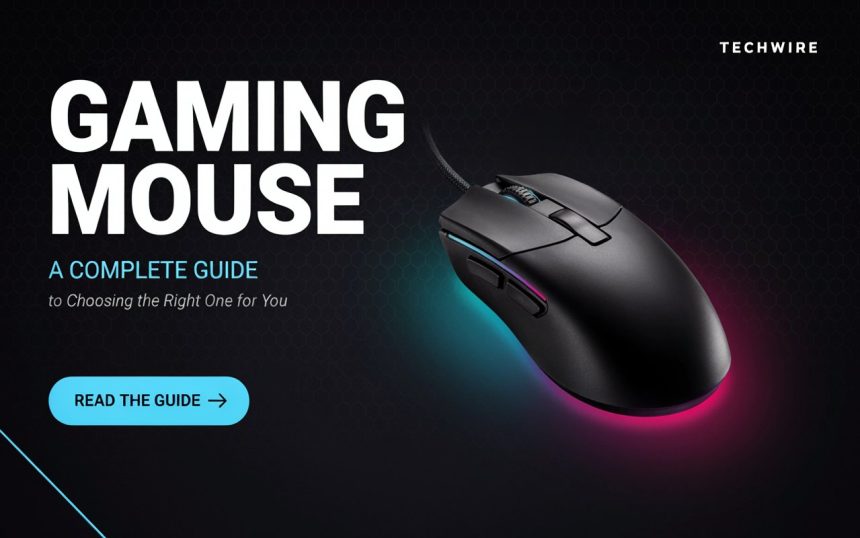
Whether you are playing competitive shooters, exploring a massive open-world adventure, or simply spending time on your computer, the device you control the action with can make a noticeable difference. A good gaming mouse is more than a basic pointing device. It can provide smoother movement, faster responses, better comfort, and useful controls that make long sessions easier.
But with so many models available, how do you know which one is actually right for you? Do you need an expensive model with dozens of buttons, or is a simple design enough?
The answer depends on how you play, what feels comfortable in your hand, and which features matter most to you. This guide explains the important things to consider before buying one, from sensors and sensitivity to shape, buttons, connectivity, software, and long-term comfort.
What Is a Gaming Mouse?
A gaming mouse is designed specifically for people who want more control and responsiveness while using a computer. Although it performs the same basic function as a standard mouse, it often includes features designed around games and extended computer use.
These features can include adjustable sensitivity, programmable buttons, improved tracking, customizable lighting, lightweight construction, and software for creating personal profiles.
Think of it like choosing a pair of running shoes. Regular shoes may allow you to run, but specialized shoes can provide a design better suited to movement, comfort, and repeated use. Similarly, a specialized mouse can make certain computer tasks and games feel more natural.
Not everyone needs an advanced model. If you mostly browse websites, write documents, watch videos, and occasionally play casual games, a basic model may be perfectly suitable. However, people who spend many hours playing fast-paced games may appreciate the additional control and comfort.
The important point is not to buy the most expensive option simply because it has a long feature list. Instead, focus on the features that match your personal needs.
Why Does the Right Mouse Matter?
You might wonder whether changing your mouse can really make a difference. After all, isn’t it just a small device sitting next to your keyboard?
The right choice ultimately depends on how you use your computer.
In fast-paced games, small movements can matter. A player may need to move the cursor quickly, stop it accurately, or make repeated movements without feeling uncomfortable. A reliable device can make these actions feel more consistent.
Comfort is another major factor. If you use a computer for several hours at a time, an uncomfortable shape can become irritating. Your fingers, palm, or wrist may feel tired after extended use.
A suitable model can also reduce unnecessary adjustments. When the controls are positioned naturally and the device responds consistently, you can focus more on what is happening on the screen.
For competitive players, consistency is particularly important. However, everyday users can also benefit from a comfortable and dependable device.
The goal is not to magically become a better player. Instead, the right equipment removes unnecessary obstacles and gives you a more comfortable way to interact with your computer.
Understanding Sensor Technology
The sensor is one of the most important internal components because it determines how movement is detected.
Modern models generally use optical sensors. These sensors track movement across the surface beneath the device and translate that movement into cursor movement on the screen.
Tracking accuracy
A quality sensor should track movement consistently. If the cursor behaves unpredictably or skips during movement, the experience can become frustrating.
For most people, modern sensors already provide more than enough performance. Marketing materials sometimes emphasize extremely high sensitivity numbers, but a larger number does not automatically mean better performance.
Sensitivity and DPI
DPI, or dots per inch, describes how far the cursor moves in relation to physical movement.
A higher setting means the cursor can travel farther across the screen with less physical movement. A lower setting generally requires more hand movement but can offer greater control for some users.
There is no universally correct setting.
Some players prefer relatively low sensitivity because they make broad arm movements. Others prefer higher sensitivity because they use smaller wrist or finger movements.
The best setting is the one that feels natural and allows you to control the cursor without constantly correcting your movements.
Polling rate
Another specification you may encounter is polling rate. It describes how frequently the device reports its position to the computer.
Higher polling rates can provide more frequent updates, but the practical difference depends on your computer, display, game, and personal sensitivity to movement.
For most users, it is better to prioritize reliable tracking and comfort rather than choosing a product based entirely on the highest number listed on its specifications sheet.
Wired vs. Wireless Models
One of the biggest choices is whether you want a wired or wireless connection.
Both options have advantages, and neither is automatically right for everyone.
Wired Connections
A wired device connects directly to the computer, usually through USB.
Its main advantage is simplicity.
Simply connect it to your computer, and you’re ready to use it.You also do not need to worry about charging a battery.
A cable can add some resistance during movement, especially if it is stiff or poorly positioned. However, modern cables can be flexible enough that this is barely noticeable.
Wired models are often attractive to people who want a straightforward setup and do not want another device to charge.
Wireless Connections
Wireless models provide greater freedom of movement because there is no cable running between the device and computer.
Modern wireless technology has improved considerably, and many current models offer responsive connections suitable for gaming.
The main things to consider are battery life, charging options, connection stability, and wireless technology.
Some models use a small USB receiver, while others support Bluetooth. Certain devices support both, giving users more flexibility.
Wireless designs can create a cleaner desk because there is one less cable to manage.
Which Should You Choose?
If you want maximum simplicity, a wired model may suit you well.
If you value a clean desk and freedom from cables, wireless may be more attractive.
The important thing is not to assume that one connection type is automatically superior. Consider your setup, habits, and willingness to recharge the device.
Shape, Size, and Grip Style
A mouse can have excellent electronics and still feel wrong if its shape does not suit your hand.
This is why physical design deserves as much attention as technical specifications.
People hold their devices in different ways. Common grip styles include palm, claw, and fingertip grips.
Palm grip
With a palm grip, much of your hand rests on the body. This can feel relaxed and comfortable, especially during long sessions.
A larger body may work well for users who naturally prefer this position.
Claw grip
A claw grip raises part of the hand while the fingers remain curved over the buttons.
This position can provide a balance between comfort and quick movement. Some users find it particularly natural for fast-paced games.
Fingertip grip
With a fingertip grip, only the fingers make significant contact with the device.
This can allow quick, precise movements, but some people may find it less comfortable during very long sessions.
Your hand size matters too. A device that feels perfect for one person may feel awkward for another.
Whenever possible, try the physical shape before purchasing. Specifications can tell you the dimensions, but they cannot fully describe how something feels in your hand.
Buttons and Custom Controls
Buttons are another area where different products can vary considerably.
A basic design may have the standard left and right buttons, a scroll wheel, and two side buttons. More advanced models can include several additional controls.
Extra buttons can be useful in games where you regularly perform repeated actions.
For example, a player might assign a side button to a frequently used ability, command, or shortcut. This can reduce the need to move a hand between different parts of the keyboard.
Programmable controls
Some devices allow users to assign different functions to their buttons through companion software.
This can be useful beyond gaming too. You might configure a button to perform a keyboard shortcut, open an application, or perform another frequently used task.
However, more buttons are not always better.
Too many controls can make a simple device feel complicated. If you rarely use additional buttons, paying extra for them may not provide much value.
Think about the actions you perform most often. If a feature saves you time or makes a repeated action easier, it may be worthwhile.
Weight and Movement
Weight is another personal preference that can significantly affect how a mouse feels.
Some users prefer lightweight designs because they can move them quickly with less effort. Others prefer heavier models because they feel more stable.
Neither approach is universally correct.
A lightweight design may feel especially appealing during games that involve frequent movement. A heavier body can feel more planted for people who prefer slower, controlled movements.
Some products even allow you to adjust the weight by adding or removing small weights.
This gives users the ability to experiment.
If you are unsure what you prefer, consider how you currently move your mouse. Do you tend to make quick movements across the desk, or do you keep your movements relatively small?
Remember that weight also affects fatigue. Moving a heavy device repeatedly for hours may feel different from using a lighter one.
Ergonomics and Long-Term Comfort
Comfort is one of the most overlooked considerations when choosing computer equipment.
A device may look impressive and perform well, but if it causes discomfort after an hour, its other features become less useful.
Hand position
A comfortable shape should allow your hand and fingers to rest naturally. You should not need to squeeze the device tightly to control it.
The height, width, curves, button placement, and surface texture can all influence how it feels.
Wrist movement
Your wrist should not be forced into an awkward position. Depending on your setup and grip, you may naturally use your wrist, fingers, or arm to move the device.
Your desk height and chair position also matter.
Long sessions
If you frequently spend several hours at your computer, comfort should be treated as a priority rather than an extra feature.
Take regular breaks, adjust your sitting position, and avoid maintaining one uncomfortable posture for long periods.
A good setup is not only about performance. It should also make everyday computer use easier and more comfortable.
Software, Profiles, and Customization
Many modern models come with companion software that allows you to customize the device.
Depending on the manufacturer and model, the software may allow you to adjust sensitivity, lighting, button assignments, profiles, and other settings.
Button mapping
You can often assign different commands to programmable buttons. This allows you to create a setup that matches the games or applications you use.
Profiles
Profiles can store different configurations.
For example, you might use one configuration for a competitive game, another for an adventure game, and a third for everyday desktop work.
Lighting
RGB lighting is popular because it can make a setup look more personalized.
However, lighting generally does not improve tracking or responsiveness. It is primarily an aesthetic feature.
If you like the visual effect, there is nothing wrong with choosing it. Just avoid paying a large premium for lighting if performance and comfort are your main priorities.
Software quality
The companion application itself is worth considering. A powerful device can become frustrating if its software is confusing or unreliable.
Look for straightforward controls and useful customization rather than a long list of unnecessary options.
Surface and Mouse Pad Compatibility
The surface beneath your mouse also matters.
A good sensor can perform differently depending on the surface it is used on. A suitable mouse pad provides a consistent area for movement and can improve the overall feel.
There are generally two broad surface types: cloth and hard surfaces.
Cloth Surfaces
Cloth pads tend to provide a softer feel and controlled movement.
They are popular because they are comfortable and usually available in many sizes.
Hard Surfaces
Hard pads typically offer a smoother, faster glide.
They can be easy to clean, although some users may prefer the softer feel of fabric.
The ideal surface depends on your preference and movement style.
A large pad can also be useful if you make broad movements. It gives you more room to move without repeatedly lifting and repositioning the device.
In simple terms, think of the pad as the road beneath your car. Even if the car is excellent, the surface underneath still affects how smoothly it moves.
How Much Should You Spend?
Price is one of the first things people consider, but it should not be the only factor.
Entry-level models can provide reliable performance without costing much. Mid-range options often add better materials, improved sensors, additional controls, or more customization.
Premium products may include advanced wireless systems, extremely lightweight construction, adjustable components, premium switches, and extensive software features.
But expensive does not always mean better for your particular needs.
Ask yourself what you actually need.
If you play casually, a basic model may be enough. If you spend several hours every day playing competitive games, investing more in comfort and build quality could make sense.
You should also consider durability. A slightly more expensive product that remains comfortable and reliable for years may provide better long-term value than repeatedly replacing inexpensive devices.
Instead of asking, “What is the most expensive one I can afford?” ask, “Which features will I actually use?”
That simple change in thinking can make shopping much easier.
Common Mistakes to Avoid
Choosing computer equipment can become confusing when advertisements focus heavily on impressive specifications.
Here are several common mistakes worth avoiding.
Choosing based only on DPI
A huge sensitivity number does not automatically mean superior tracking. Most users will never need extremely high settings.
Ignoring the shape
Technical specifications cannot tell you whether the device will fit your hand comfortably.
Buying too many buttons
Additional controls are useful only when you have a practical reason to use them.
Ignoring weight
Weight can dramatically change how the device feels during movement.
Forgetting the cable or battery
If you choose a wired model, consider cable flexibility. If you choose wireless, consider battery life and charging.
Paying extra for appearance
Lighting and aggressive styling can look attractive, but they should not replace important features such as comfort and reliable performance.
Ignoring your desk setup
A good device cannot completely compensate for an uncomfortable chair, poor desk height, limited movement space, or an unsuitable surface.
A balanced setup usually produces a better experience than spending all your money on one component.
How to Choose the Right Model for Your Needs
There is no single perfect choice for everyone.
Instead, start by identifying how you use your computer.
If you primarily play fast-paced competitive games, pay close attention to tracking consistency, shape, weight, sensitivity, and responsiveness.
If you enjoy strategy or role-playing games, additional buttons may be useful for commands and shortcuts.
If you mainly play casual games, comfort and reliability may matter more than advanced specifications.
For people who work and play on the same computer, a versatile design may be preferable. You might want comfortable everyday use combined with programmable controls and dependable performance.
Also consider your hand size and grip style.
If possible, physically test different shapes before buying. Even a short hands-on test can reveal more than reading dozens of specifications.
Finally, consider the rest of your setup. Your keyboard, display, desk, surface, chair, and computer all contribute to the overall experience.
The best setup is the one where everything works together naturally.
Maintenance and Care Tips
Once you have chosen a suitable model, taking care of it can help keep it working properly.
Dust and debris can collect around buttons and the scroll wheel. Clean the exterior regularly using appropriate materials and avoid getting unnecessary moisture inside the device.
Keep the surface beneath it clean as well. Dirt can affect the way the device glides and may make movement feel inconsistent.
If your model uses a removable or rechargeable battery, follow the manufacturer’s charging recommendations.
For wired devices, avoid repeatedly bending the cable sharply or trapping it beneath heavy objects.
Software and firmware updates can also be useful when provided by the manufacturer. These updates may improve compatibility, fix problems, or add functionality.
Small maintenance habits can extend the useful life of your equipment and keep it feeling consistent.
Final Thoughts
Choosing the right gaming mouse does not have to be complicated. The most important factors are usually comfort, shape, tracking quality, controls, weight, connection type, and the way you personally use your computer.
Don’t get distracted by enormous specification numbers or flashy designs. A product with fewer features can be a better match if it fits your hand comfortably and performs reliably.
Think about your gaming habits, preferred grip, available desk space, and budget. Then choose features based on those needs.
Ultimately, the right device should feel like a natural extension of your hand. When you stop thinking about the equipment and can simply focus on what you are doing, you know you have found a good fit.
Frequently Asked Questions
1. What is the most important feature to look for in a gaming mouse?
Comfort and reliable tracking are among the most important factors. A device should feel natural in your hand and respond consistently to your movements. Features such as extra buttons and lighting are useful only if they match your needs.
2. Is a wireless gaming mouse good for gaming?
Yes. Modern wireless models can provide responsive and reliable performance. The main considerations are connection stability, battery life, charging options, and the quality of the wireless technology used.
3. What DPI should I use?
There is no single setting that works for everyone. Your ideal sensitivity depends on your game, display, movement style, and personal preference. Start with a comfortable setting and adjust it gradually until the cursor or in-game movement feels controlled.
4. Does a heavier mouse provide better accuracy?
Not necessarily. Some users prefer heavier devices because they feel stable, while others find lightweight models easier to control. Accuracy depends on many factors, including the sensor, surface, sensitivity, and your own movement habits.
5. Do I need an expensive gaming mouse?
No. A reasonably priced model can provide excellent performance for many users. Premium products can offer additional customization, materials, wireless features, or specialized designs, but you should pay for features that you will actually use rather than assuming a higher price guarantees a better experience.