

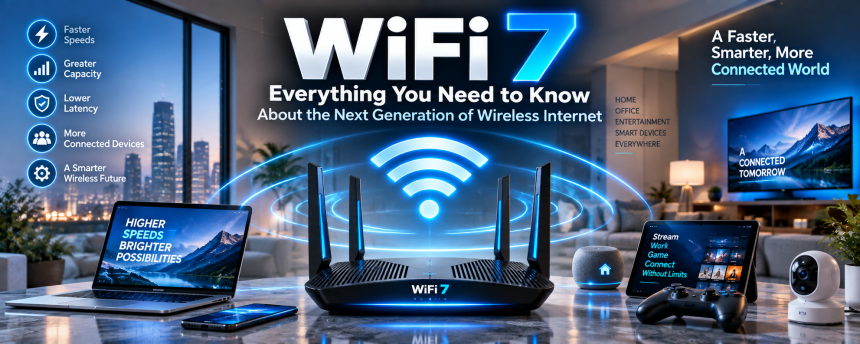
Wireless internet has become one of the most important technologies in our daily lives. We use it to watch movies, work from home, play online games, attend video meetings, control smart devices, and stay connected with family and friends. As more devices enter our homes and our online activities become more demanding, wireless networks need to become faster, smarter, and more reliable.
That is where WiFi 7 comes in. It is the latest generation of Wi-Fi technology designed to improve speed, capacity, responsiveness, and overall performance. But what does it actually mean for ordinary users? Do you need a new router? Will your current devices work with it? And is upgrading worth the cost?
This guide explains everything you need to know in simple language, from how the technology works to its biggest advantages, limitations, real-world uses, and future potential.
1. What Is WiFi 7?
WiFi 7 is the newest generation of wireless networking technology. It follows earlier standards such as WiFi 5 and WiFi 6, bringing improvements designed for a world where homes and businesses depend on dozens of connected devices.
Its official technical name is IEEE 802.11be, but most people will simply know it by the easier name, WiFi 7.
The main purpose of this new generation is not just to increase internet speed. It is designed to make wireless connections more efficient when multiple devices are connected at the same time.
Think of your home network as a busy highway.
Older wireless technology is like a highway with a limited number of lanes. When only a few cars are driving, traffic moves smoothly. But when hundreds of cars enter the road, congestion begins.
The newest generation is like building a wider, smarter highway with more lanes and better traffic control. More vehicles can travel at the same time, and traffic can move more efficiently.
Built for Modern Digital Life
Today’s homes often contain:
- Smartphones
- Laptops
- Smart televisions
- Gaming consoles
- Tablets
- Smart speakers
- Security cameras
- Smart appliances
- Streaming devices
- Wearable technology
Each connected device places demands on the network.
WiFi 7 is designed to manage these growing demands more effectively, especially in busy homes and workplaces where many people and devices use the internet simultaneously.
2. How Is WiFi 7 Different From Older Wi-Fi Generations?
Every new generation of Wi-Fi aims to improve wireless communication.
Older standards helped make wireless internet widely available. Later generations increased speed and introduced better ways to handle multiple connected devices.
The latest generation takes another major step forward.
The Evolution of Wireless Technology
Here is a simple way to understand the progression:
WiFi 5 focused heavily on improving wireless speed.
WiFi 6 improved efficiency and helped networks manage multiple devices more effectively.
WiFi 6E expanded access to the 6 GHz frequency band in supported regions.
WiFi 7 builds on these improvements by offering wider channels, better coordination between frequency bands, lower latency, and significantly higher potential performance.
More Than Just Higher Numbers
Many people assume that a new Wi-Fi generation simply means faster downloads.
Speed is important, but the latest technology is designed to improve several areas at once.
These include:
- Higher data capacity
- Faster communication
- Lower latency
- Better reliability
- Improved efficiency
- More simultaneous connections
- Better performance in crowded networks
This means the biggest improvements may not always appear when you are browsing a simple website. Instead, the benefits become more noticeable when many devices are active or when using demanding applications.
3. Faster Speeds and Better Performance
One of the biggest reasons people are interested in WiFi 7 is speed.
The technology supports much higher theoretical data rates than previous generations. This means compatible devices can potentially transfer information much faster under ideal conditions.
What Faster Wireless Speeds Mean
Higher speed can improve many everyday activities.
For example:
- Large files can download more quickly.
- High-resolution videos can stream more smoothly.
- Cloud backups can complete faster.
- Game updates may take less time.
- Video meetings can handle higher-quality connections.
- Multiple users can access demanding services simultaneously.
Imagine downloading a large video game that requires dozens of gigabytes of data. With a slower connection, the process might take a long time.
A faster wireless system can reduce the time needed to move that information between your router and compatible device.
However, there is one important point to remember: Wi-Fi speed is not the same as your internet plan speed.
If your internet provider offers a relatively slow connection, purchasing the newest router will not magically turn that connection into ultra-fast broadband.
Your overall experience depends on several factors, including:
- Internet service speed
- Router quality
- Device compatibility
- Network congestion
- Signal strength
- Distance from the router
The newest technology can improve the connection inside your home or office, but it cannot completely overcome limitations from your internet provider.
4. Wider Channels and More Data Capacity
One of the major improvements in WiFi 7 involves wider communication channels.
You can think of a wireless channel as a path used to move information between your router and devices.
A wider path can carry more information at once.
Why Wider Channels Matter
Imagine two roads.
One road has two lanes, while another has eight lanes.
The wider road can potentially handle more vehicles at the same time.
Similarly, wider wireless channels can move larger amounts of data more efficiently.
This is particularly useful for demanding activities such as:
- 4K streaming
- 8K video
- Cloud gaming
- Virtual reality
- Large file transfers
- High-speed local networking
The latest generation supports wider channels than many earlier Wi-Fi standards, creating the potential for significantly greater throughput.
Better Performance for Busy Networks
The benefits are not limited to a single device.
A modern household may have multiple people streaming, gaming, working, and using smart devices at the same time.
A wider communication system can help the network handle more traffic without becoming as congested.
This is especially useful for large families, shared apartments, offices, and smart homes.
5. Multi-Link Operation: A Smarter Way to Connect
One of the most interesting features of WiFi 7 is called Multi-Link Operation, often shortened to MLO.
Although the name sounds technical, the basic idea is easy to understand.
Traditional wireless devices may connect through a single frequency band at a particular time. The newer technology allows compatible devices to use multiple connections more intelligently.
Using Multiple Paths
Imagine traveling to an important destination.
Instead of relying on only one road, you have access to several routes. If one road becomes crowded, you can use another route.
Multi-Link Operation works in a similar way.
A compatible device can potentially communicate across different frequency bands and channels more efficiently.
This can improve:
- Speed
- Reliability
- Responsiveness
- Network stability
Why This Is Useful
Wireless conditions can change quickly.
One frequency may experience interference while another remains relatively clear.
By intelligently using available connections, the network can provide a more reliable experience.
For users, this could mean fewer interruptions and smoother performance during demanding activities.
This is particularly valuable for applications where a stable connection is important, such as online gaming, video communication, and real-time cloud services.
6. Lower Latency and Faster Response Times
Speed tells us how quickly large amounts of information can move.
Latency tells us how quickly a network responds.
The difference is important.
Imagine sending a message to someone.
A high-speed connection may deliver large files quickly, but if there is a noticeable delay before communication begins, interactive activities can still feel slow.
Why Low Latency Matters
Lower latency can improve experiences involving real-time communication.
Examples include:
- Online gaming
- Video calls
- Virtual reality
- Augmented reality
- Remote work
- Cloud applications
- Interactive entertainment
When playing an online game, you want your actions to appear quickly.
If you press a button and the game responds too late, the experience can become frustrating.
Lower latency helps reduce these delays.
A Better Experience for Interactive Technology
As technology becomes more interactive, fast response times become increasingly important.
Virtual reality and augmented reality, for example, require information to move quickly between devices and applications.
Delays can make these experiences feel less natural.
The latest wireless technology is designed to support the growing demand for responsive, real-time digital experiences.
7. WiFi 7 and the 2.4 GHz, 5 GHz, and 6 GHz Bands
Modern wireless networks use different frequency bands.
The three most important bands associated with newer Wi-Fi technology are:
- 2.4 GHz
- 5 GHz
- 6 GHz
Each has different strengths and limitations.
The 2.4 GHz Band
The 2.4 GHz band has been used by wireless networks for many years.
Its main advantage is range.
Signals on this band can generally travel farther and pass through obstacles more effectively than higher-frequency signals.
However, it can also experience more congestion because many devices use it.
Common devices using this range may include:
- Smart home products
- Older wireless devices
- Bluetooth equipment
- Household electronics
The 5 GHz Band
The 5 GHz band offers faster performance and generally experiences less congestion than 2.4 GHz.
It is commonly used for:
- Streaming
- Gaming
- Modern laptops
- Smartphones
- High-speed wireless connections
Its range can be more limited than 2.4 GHz, especially when walls and other obstacles are present.
The 6 GHz Band
The 6 GHz band provides additional wireless capacity in regions where it is available.
This band can offer cleaner communication channels because it is less crowded than older frequency ranges.
For users with compatible routers and devices, it can help support high-performance applications.
A More Flexible Wireless Experience
WiFi 7 can take advantage of multiple frequency bands and improved coordination between them.
This flexibility can help networks adapt to changing conditions.
Instead of thinking about your wireless network as a single connection, it is better to imagine a modern system with several possible communication paths.
The router and compatible devices can work together to use those paths more efficiently.
8. Better Support for Gaming, Streaming, and Remote Work
The growth of digital entertainment and remote work has changed what people expect from home networks.
Years ago, a family might have had one computer connected to the internet.
Today, a household might have several people participating in video meetings while others stream movies, play online games, and use smart devices.
That creates significant pressure on a wireless network.
Online Gaming
Gaming requires more than high download speed.
A stable connection and low latency are also important.
WiFi 7 can help support a more responsive gaming experience when used with compatible devices and strong network infrastructure.
This may be especially useful for:
- Multiplayer games
- Cloud gaming
- Competitive gaming
- Game streaming
However, a wired Ethernet connection may still be the preferred choice for people who require maximum consistency.
Wireless technology continues to improve, but physical connections can still offer advantages in certain situations.
Streaming High-Resolution Content
Video quality continues to improve.
Many households now stream 4K content, while even higher resolutions are becoming more common.
High-quality video requires significant bandwidth, particularly when several people are streaming at once.
The greater capacity offered by newer wireless technology can help networks manage these demands.
Remote Work and Video Meetings
Remote work has made reliable home connectivity more important than ever.
A poor wireless connection can cause:
- Frozen video
- Delayed audio
- Interrupted meetings
- Slow file transfers
A faster and more efficient network can improve the experience, particularly in homes where several people work or study online at the same time.
9. WiFi 7 for Smart Homes and Connected Devices
The smart home market continues to grow.
Many people now use connected technology to control lights, cameras, speakers, thermostats, appliances, and security systems.
Each device may use only a small amount of data, but the total number of devices can become significant.
More Devices, More Demand
Imagine a home containing:
- Four smartphones
- Three laptops
- Two smart televisions
- Multiple security cameras
- Smart speakers
- Gaming consoles
- Smart lighting
- Tablets
- Connected appliances
That is already a large number of devices sharing the same network.
As smart homes become more advanced, this number could increase further.
Improved Network Capacity
WiFi 7 is designed to manage high levels of network activity more effectively.
This can be helpful when many devices are communicating simultaneously.
A smart home does not necessarily require the fastest possible connection for every device.
However, efficient network management becomes increasingly important as the number of connected products grows.
The latest technology is designed with this connected future in mind.
10. Do You Need a New Router and Devices?
One of the most common questions about WiFi 7 is whether existing equipment can use it.
The simple answer is that you need compatible hardware to experience the full benefits.
You Need a Compatible Router
Your router is the central device that creates your wireless network.
An older router cannot usually gain the full capabilities of a new Wi-Fi generation through a simple software update.
To access the latest features, you generally need a router designed for the new standard.
Your Devices Also Matter
A new router alone does not guarantee that every phone, laptop, or tablet will receive maximum benefits.
Devices also need compatible wireless hardware.
For example, an older smartphone may connect successfully to a modern router but operate using an older wireless standard.
This is known as backward compatibility.
Backward Compatibility Is Helpful
The good news is that newer routers are generally designed to support older devices.
That means you can often upgrade your router without replacing every device in your home.
However, to experience the newest capabilities fully, both the router and the connected device need to support the technology.
11. Is WiFi 7 Worth Upgrading To?
Whether upgrading is worthwhile depends on your situation.
Not everyone needs the latest router immediately.
A good WiFi 6 or WiFi 6E system may already provide excellent performance for many households.
You May Benefit From an Upgrade If
Upgrading may make sense if:
- You have a very fast internet connection.
- Many devices use your network.
- Your household streams large amounts of high-resolution content.
- You regularly play online games.
- You use demanding cloud applications.
- You want a more future-ready home network.
- You are purchasing new networking equipment anyway.
You May Not Need It Yet If
You may not need to upgrade immediately if:
- Your current network performs well.
- You have only a few connected devices.
- Your internet connection is relatively slow.
- Most of your devices do not support newer wireless standards.
- Your budget is limited.
Technology upgrades are most valuable when they solve a real problem.
If your current network is fast, reliable, and stable, there may be little reason to replace everything immediately.
Future-Proofing Your Home Network
However, there is another way to look at the decision.
Networking equipment often remains in use for several years.
If you are already planning to purchase a new router, choosing a more advanced model may help prepare your home for future devices.
This is especially true as laptops, smartphones, gaming systems, and smart home products continue to adopt newer wireless capabilities.
12. The Future of WiFi and Wireless Connectivity
Wireless technology will continue to evolve.
The launch of WiFi 7 does not mean innovation will stop. Internet use is growing, connected devices are becoming more common, and new technologies are creating greater demands on networks.
The Growth of Immersive Technology
Virtual reality and augmented reality may become more important in entertainment, education, communication, and professional environments.
These technologies require fast, responsive connections.
Advanced wireless networks could help make these experiences smoother and more practical.
Cloud Computing
More software and services are moving into the cloud.
Instead of storing everything directly on a computer, users increasingly access information and applications through internet-based services.
Reliable, high-speed wireless connections can improve access to these tools.
Smart Cities and Connected Environments
Wireless communication will also play an important role beyond the home.
Cities, businesses, transportation systems, and public services are becoming increasingly connected.
While Wi-Fi is only one part of the broader connectivity ecosystem, advanced networking technology can support the growing demand for fast and reliable communication.
A More Connected Future
The future may include homes where hundreds of devices communicate with each other.
We may see more immersive entertainment, intelligent automation, connected vehicles, advanced robotics, and digital services that require instant communication.
The latest generation of wireless technology is an important step toward supporting that future.
It is not just about downloading a movie faster.
It is about creating a network capable of handling technologies that are still developing today.
Conclusion
WiFi 7 represents an important advancement in wireless technology. It is designed to provide faster performance, lower latency, greater capacity, and more efficient communication between connected devices.
For the average person, the biggest benefits may appear in busy homes and workplaces where multiple people use demanding applications at the same time. Streaming, gaming, video conferencing, cloud computing, and smart home technology can all benefit from a more capable wireless network.
However, upgrading immediately is not necessary for everyone. Your internet speed, existing devices, budget, and current network performance should all influence your decision.
If your current router meets your needs, there may be no reason to rush. But if you are planning to upgrade your home network or want equipment designed for future devices, WiFi 7 offers a promising step forward.
As our digital lives become more connected, wireless networks will continue to play an increasingly important role. The newest generation is designed to make that connection faster, smarter, and better prepared for whatever comes next.
Frequently Asked Questions
1. What is WiFi 7?
WiFi 7 is a new generation of wireless networking technology designed to offer faster speeds, lower latency, greater network capacity, and improved performance compared with older Wi-Fi standards.
2. Is WiFi 7 faster than WiFi 6?
Yes, WiFi 7 has the potential to provide significantly higher performance than WiFi 6. It supports wider channels, improved efficiency, and advanced technologies designed to move more data quickly.
3. Do I need a new router for WiFi 7?
Yes, you need a compatible router to access WiFi 7 features. Older routers cannot normally provide the full capabilities of the newer wireless standard.
4. Will older devices work with a WiFi 7 router?
Yes, most modern routers supporting newer Wi-Fi generations are designed to remain compatible with older devices. However, older devices will not receive all the advanced benefits unless they also support the latest technology.
5. Is WiFi 7 worth buying now?
It depends on your needs. It can be a good investment for people with fast internet, many connected devices, demanding applications, or plans to keep their networking equipment for several years. If your current network works well, upgrading may not be immediately necessary.

