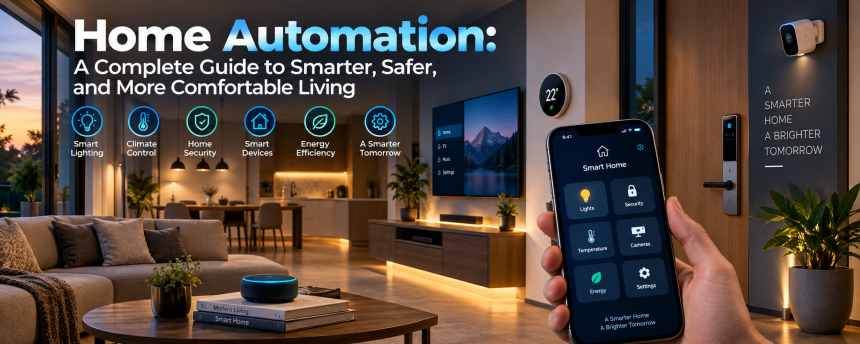
Imagine waking up in the morning and having your curtains open automatically, your preferred room temperature already set, and your lights gradually brighten as you prepare for the day. It may sound like something from a science-fiction movie, but this type of connected living is becoming increasingly common.
Modern technology has changed the way we communicate, work, shop, and entertain ourselves. Now, it is also changing the way we live inside our homes. Connected devices allow people to control lights, appliances, security systems, entertainment equipment, and other household features with greater convenience and flexibility.
But what does this technology really involve? Is it expensive? Is it difficult to use? And is it actually useful for ordinary families?
This guide explains everything you need to know about creating a smarter living environment. From basic devices and everyday benefits to security concerns, costs, installation, and future developments, you will discover how connected technology is transforming modern homes.
What Is Home Automation?
Home automation refers to the use of technology that allows household devices and systems to perform tasks automatically or be controlled remotely.
Instead of manually switching on lights, adjusting the thermostat, locking doors, or operating appliances, people can use connected devices to manage these tasks through smartphones, voice assistants, sensors, timers, or programmed routines.
The main goal is simple: make everyday living easier, more efficient, and more convenient.
For example, you might create a routine that automatically:
- Turns off unnecessary lights when you leave
- Locks selected doors at a specific time
- Adjusts the temperature during the night
- Starts entertainment equipment with a single command
- Sends instant alerts when unusual activity is detected.
- Opens or closes curtains based on the time of day
Think of it like having a digital assistant quietly working in the background. Just as a conductor coordinates different instruments in an orchestra, a connected system can coordinate different devices to create a smoother daily experience.
You do not necessarily need an entire house filled with advanced equipment. Even a single connected light bulb or smart plug can be the first step toward a more automated lifestyle.
How Does a Connected Home System Work?
Understanding the basic structure is easier than many people expect. Most connected systems involve several important components that communicate with one another.
Connected Devices
These are the physical products installed or used around the house.
Common examples include:
- Smart lights
- Connected thermostats
- Security cameras
- Video doorbells
- Smart locks
- Motion sensors
- Connected plugs
- Automated curtains
- Voice-controlled speakers
- Robot vacuum cleaners
Each device performs a particular function and can often connect to a larger network.
Internet and Wireless Connections
Many devices communicate using wireless technologies such as Wi-Fi, Bluetooth, Zigbee, Thread, or other networking standards.
This connection allows information to travel between your devices, mobile applications, and control systems.
For example, a motion sensor may detect movement and send a signal that tells a light to turn on.
Control Applications
Many connected products include mobile applications that allow users to monitor and control their devices.
From a smartphone, you may be able to:
- Turn devices on or off
- Check camera footage
- Change temperature settings
- Create schedules
- Receive alerts
- Monitor energy usage
Remote access becomes especially valuable when you are away from home.
Voice Control
Voice assistants have made connected technology easier for many people to use.
Instead of opening an application, you can simply say something like:
“Turn off the living room lights.”
or:
“Set the temperature to a comfortable level.”
Voice commands can make everyday tasks faster, especially when your hands are busy.
The Most Popular Types of Smart Devices
The market now offers a wide range of connected products. Some focus on comfort, while others improve security, entertainment, or energy management.
Smart Lighting
Connected lighting is one of the simplest and most effective ways to start building a smart home.
These systems can allow users to:
- Turn lights on remotely
- Adjust brightness
- Change colors
- Create schedules
- Control lights using voice commands
- Automatically switch lights based on movement
Imagine walking into a dark hallway and having the lights automatically switch on. Small conveniences like this can make a noticeable difference.
Lighting schedules can also create the impression that someone is home when the property is empty.
Smart Thermostats
Heating and cooling can have a major effect on household energy use.
Connected thermostats allow homeowners to manage temperature settings more efficiently.
Some systems can:
- Follow schedules
- Learn temperature preferences
- Detect when nobody is home
- Adjust settings remotely
- Provide energy usage information
For example, instead of keeping your house at the same temperature all day while everyone is away, the system can reduce unnecessary heating or cooling and prepare the home before you return.
Smart Security Cameras
Security cameras allow homeowners to monitor different areas of their property.
Depending on the device, features may include:
- Live video
- Motion detection
- Night vision
- Mobile notifications
- Two-way communication
- Recorded footage
A notification can alert you when movement is detected near an entrance or another important area.
However, privacy settings should always be reviewed carefully before installing cameras, especially indoors.
Smart Doorbells
Video doorbells let you see, speak with, and monitor visitors from virtually anywhere.
If someone arrives at your door while you are at work or traveling, you may receive an alert on your smartphone.
Many devices allow you to:
- View live video
- Speak with visitors
- Receive motion notifications
- Review recorded activity
This can be helpful for deliveries, visitors, and general awareness around the entrance.
Smart Locks
Traditional keys are useful, but connected locks can offer additional flexibility.
Depending on the system, users may unlock doors through:
- Smartphone applications
- PIN codes
- Fingerprints
- Voice systems
- Temporary access codes
Temporary access can be particularly useful for guests or service providers.
For example, instead of giving someone a physical key, you may be able to provide a temporary digital code that works only during specific times.
The Benefits of Home Automation
Why are more people interested in connected homes? The answer is not simply about having impressive technology. The biggest appeal comes from the practical benefits.
Greater Convenience
Convenience is often the first advantage people notice.
A single command can control several devices at once.
Imagine saying goodnight and having the system:
- Turn off the lights
- Lock the doors
- Adjust the temperature
- Close selected curtains
Instead of checking every room individually, multiple tasks can happen through a single routine.
Improved Energy Efficiency
Connected technology can help households better understand and manage energy use.
Examples include:
- Automatically turning off lights
- Scheduling heating and cooling
- Monitoring electricity consumption
- Reducing unnecessary appliance use
A connected plug, for example, may allow users to see how much energy a particular device consumes.
Awareness can lead to better habits.
Better Security and Monitoring
Security devices can provide additional awareness of what is happening around a property.
Connected systems may send alerts for:
- Motion
- Door activity
- Window activity
- Camera detection
- Smoke or environmental concerns
Receiving information quickly can help homeowners respond more effectively.
However, technology should support good security practices rather than completely replace them.
Accessibility and Independence
Connected devices can be especially helpful for older adults and people with mobility challenges.
Voice commands and automated routines may reduce the need to physically operate certain switches or controls.
For example, someone could use a voice assistant to:
- Control lights
- Adjust temperature
- Contact another person
- Operate entertainment systems
Small improvements in accessibility can have a meaningful impact on everyday independence.
Creating Routines and Automated Scenes
One of the most useful features of connected living is the ability to create routines.
A routine is a set of actions triggered by a particular event, schedule, or command.
Morning Routine
Your morning setup might:
- Open curtains
- Turn on selected lights
- Adjust the temperature
- Start music or news
- Turn on a connected appliance
Leaving Home Routine
When you leave, the system might:
- Turn off lights
- Lock doors
- Reduce heating or cooling
- Activate security devices
- Check whether selected appliances are still running
Evening Routine
At night, your routine could:
- Dim lights
- Close curtains
- Lock doors
- Adjust the bedroom temperature
- Turn off entertainment equipment
The real advantage is personalization.
Your household has different habits from everyone else’s. The best system is one that fits naturally into your daily routine rather than forcing you to change your lifestyle.
Choosing the Right Ecosystem
Before buying many connected devices, it is important to consider compatibility.
Not every product works perfectly with every platform.
Some devices are designed to work with specific ecosystems, while others support several major platforms.
Why Compatibility Matters
Imagine buying several devices only to discover that each requires a separate application.
Instead of simplifying your home, you could end up managing:
- One app for lights
- Another for security
- Another for heating
- Another for entertainment
That can become frustrating.
A more connected ecosystem allows different devices to work together.
What Should You Consider?
Before purchasing a product, ask:
- Does it work with my preferred platform?
- Can it connect with my existing devices?
- Does it require a separate hub?
- Can I control it with voice commands?
- Will the company continue supporting the product?
Compatibility may not sound exciting, but it can prevent many problems later.
Start with a Simple Plan
You do not need to automate everything immediately.
A good starting point could include:
- Connected lighting
- A smart speaker or control system
- A few connected plugs
- Basic security devices
Once you understand how these products work, you can gradually add more features.
Security and Privacy Concerns
Connected devices collect and exchange information, which means security and privacy should always be taken seriously.
Convenience should never come at the expense of protecting your personal information.
Use Strong Passwords
Avoid simple passwords that can easily be guessed.
Use:
- Long passwords
- Unique passwords
- Password managers
- Multi-factor authentication when available
Do not use the same password across multiple important accounts.
Keep Devices Updated
Manufacturers regularly release updates that may improve security and fix problems.
Whenever possible, enable automatic updates or regularly check for new software versions.
Protect Your Wi-Fi Network
Your home network is the foundation of many connected systems.
Use a strong Wi-Fi password and keep your router updated.
Some users also choose to place connected devices on a separate network to improve organization and security.
Review Privacy Settings
Before installing a new device, consider what information it collects.
Ask questions such as:
- Does it record audio?
- Does it store video?
- Where is the information stored?
- Who can access it?
- Can recordings be deleted?
Privacy policies can be long and boring, but understanding how a device handles your information is important.
Is Home Automation Expensive?
The cost depends on how advanced you want your setup to become.
A basic system can be relatively affordable, while a professionally installed whole-house solution can cost significantly more.
Budget-Friendly Options
A beginner might start with:
- A smart bulb
- A connected plug
- A basic speaker
- A simple sensor
These products allow users to experience connected living without making a major financial commitment.
Mid-Range Systems
A larger setup might include:
- Multiple lights
- Security cameras
- A connected thermostat
- Smart locks
- Automated routines
This level can provide a more integrated experience.
Advanced Installations
High-end systems may include:
- Whole-house lighting control
- Motorized blinds
- Integrated security
- Advanced climate management
- Professional installation
- Centralized control panels
The important point is that you do not need the most expensive setup to enjoy useful features.
Start with the problems you actually want to solve.
Common Problems and Limitations
Although connected technology offers many benefits, it is not perfect.
Understanding the limitations can help you make better decisions.
Internet Dependence
Many devices rely heavily on internet access.
If your connection stops working, certain remote features may become unavailable.
Some functions may continue working locally, but this depends on the device and system.
Compatibility Issues
As mentioned earlier, devices do not always work smoothly together.
Different brands may use different standards or applications.
Researching compatibility before buying is essential.
Too Many Notifications
A security system that sends constant alerts can become annoying.
Imagine receiving notifications every time a tree branch moves or a pet walks past a camera.
It is important to adjust sensitivity and notification settings.
Technical Problems
Like all technology, connected devices can experience:
- Connection failures
- Software bugs
- Battery problems
- Application errors
- Account issues
Fortunately, many problems can be solved through updates, restarts, or better network connections.
Still, users should avoid making critical safety decisions entirely dependent on a single connected device.
How to Start Building a Smart Home
Starting small is usually the best approach.
You do not need to transform your entire house overnight.
Step 1: Identify Your Needs
Ask yourself what would actually improve your daily life.
Do you want:
- Better security?
- Lower energy use?
- More convenience?
- Easier lighting control?
- Help with accessibility?
Your answer will guide your choices.
Step 2: Choose a Main Platform
Consider which ecosystem you prefer for controlling devices.
Choosing a central platform early can make future expansion easier.
Step 3: Begin with One Room
You could start with your living room or bedroom.
For example, add:
- Connected lighting
- A smart plug
- Voice control
- Motion sensors
Test how the setup fits into your routine.
Step 4: Create Useful Routines
Avoid adding automation simply because you can.
Focus on actions that genuinely save time or improve comfort.
A useful routine is better than ten complicated routines that nobody remembers to use.
Step 5: Expand Gradually
Once you understand your needs, you can add more devices.
This gradual approach helps you avoid wasting money on products that do not provide real value.
The Future of Connected Living
Technology continues to develop rapidly, and connected homes are likely to become more intelligent and easier to use.
Future systems may offer better communication between devices, stronger automation, and improved energy management.
Artificial Intelligence
Artificial intelligence may help systems understand patterns and preferences more effectively.
For example, a future system might learn:
- When you usually wake up
- Which rooms you use most
- Your preferred temperature
- Your lighting habits
- Your typical energy usage
Instead of manually programming every action, systems may become better at making helpful suggestions.
Of course, this also makes privacy and responsible data handling even more important.
Better Device Compatibility
One major challenge has been getting products from different companies to work together.
Industry efforts toward better standards may make future setups easier to manage.
Ideally, consumers should not need technical knowledge just to connect basic household devices.
Greater Energy Awareness
As energy costs and environmental concerns continue to influence household decisions, connected technology may play a larger role in managing consumption.
Future systems could help households:
- Monitor energy usage
- Reduce waste
- Coordinate appliances
- Use power more efficiently
The goal is not simply to add more technology. It is to make technology work more intelligently.
Making Technology Feel Natural
The best automated systems are often the ones you barely notice.
When technology works well, it should feel natural rather than complicated.
You should not have to think about opening five applications just to turn off a few lights.
A good setup quietly supports your lifestyle.
That is why simplicity matters.
Before buying another device, ask yourself:
Will this solve a real problem or simply add another piece of technology to manage?
The answer can help you avoid unnecessary purchases.
Technology should serve people, not create more work for them.
Conclusion
Home automation is changing the way people interact with their living spaces. What once seemed futuristic is now becoming part of everyday life, from connected lighting and intelligent temperature control to advanced security and personalized routines.
The biggest advantage is flexibility. You can start with something as simple as a connected bulb or gradually build an entire ecosystem that manages different parts of your household. The best approach is to focus on your real needs, choose compatible products, protect your privacy, and expand at a comfortable pace.
As technology continues to improve, connected homes may become even more intuitive, efficient, and accessible. The future is not necessarily about living in a house filled with complicated gadgets. Instead, it is about creating a space that quietly adapts to make everyday life safer, easier, and more comfortable.
Frequently Asked Questions
1. What is home automation used for?
Home automation is used to control and automate household devices and systems. Common uses include managing lights, temperature, security cameras, door locks, appliances, entertainment systems, and energy consumption.
2. Can I start with a small smart home setup?
Yes. You can begin with a few simple devices, such as smart bulbs, plugs, or a voice-controlled speaker. Starting small allows you to learn what features are most useful before investing in a larger setup.
3. Does home automation require internet access?
Many connected devices use internet access for remote control, notifications, and cloud-based features. However, some functions may continue working locally depending on the products and systems being used.
4. Are smart homes secure?
They can be secure when properly configured. Using strong passwords, multi-factor authentication, regular software updates, and secure Wi-Fi settings can significantly improve protection.
5. Can home automation help save energy?
Yes. Connected thermostats, lighting controls, energy monitoring tools, and automated schedules can help reduce unnecessary electricity use and improve energy management.