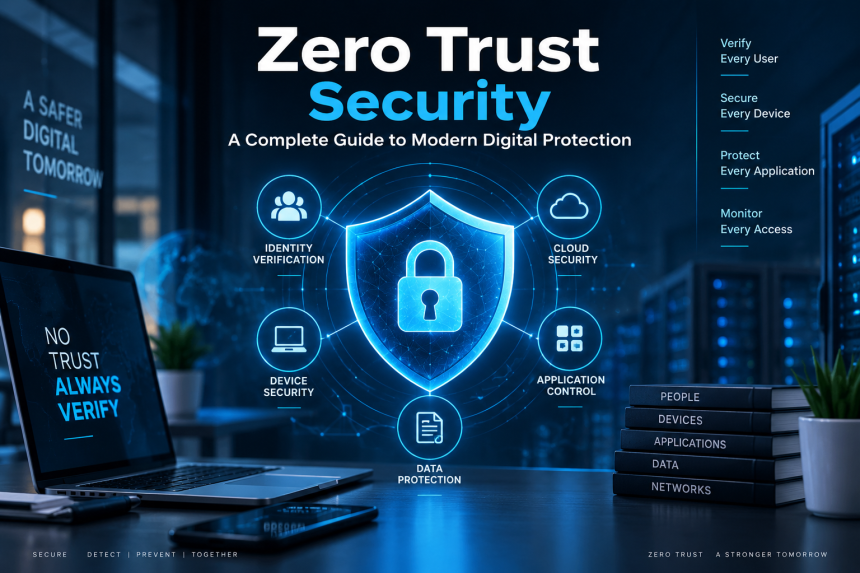
As businesses, schools, governments, and individuals move more of their activities online, traditional security methods are becoming harder to rely on. Employees work from different locations, applications run in the cloud, and personal devices regularly connect to company systems. In this environment, simply placing a strong security wall around a network is no longer enough.
This is where zero trust security offers a more modern and effective approach to protecting digital environments.
Rather than automatically trusting users or devices once they enter a network, this approach verifies every access request before granting permission.
Think of it like a building where every room has its own security door. Getting through the main entrance does not mean you can freely enter every room.
This guide explains how the model works, why organizations are adopting it, its main benefits and challenges, and what it means for everyday internet users.
What Is Zero Trust Security?
Zero trust security is a modern cybersecurity approach based on a simple idea: never automatically trust an access request, even when it comes from inside an organization’s network.
Traditional network protection often worked like a castle. The organization built a strong outer wall using tools such as firewalls, and anyone who successfully entered the network was given a certain level of trust.
That model made more sense when employees primarily worked from company offices and applications were hosted on internal servers. Today, the situation is very different.
A worker might connect from home using a laptop. Another employee could be traveling with a smartphone. A third person might use a cloud-based application from another country. Meanwhile, company data could be distributed across multiple cloud platforms.
The old perimeter is no longer clearly defined.
A zero-trust approach therefore evaluates access based on several factors, including:
- Who is requesting access
- What device is being used
- Where the request originates
- What application or resource is requested
- Whether the user’s behavior appears normal
- Whether the device meets security requirements
- How sensitive the requested information is
The goal is not to make technology difficult to use, but to provide stronger security without sacrificing convenience.
Instead, the goal is to make access intentional, verified, and limited.
Why Traditional Network Security Is No Longer Enough
For many years, organizations relied heavily on a perimeter-based model. The basic assumption was relatively straightforward: protect the network boundary, authenticate users at the entrance, and trust activity occurring inside.
Unfortunately, modern technology has changed the environment.
Cloud computing has moved applications and information beyond traditional office networks. Remote work has also created a situation where employees may need access from practically anywhere.
At the same time, cybercriminals have become better at stealing passwords, exploiting vulnerable devices, tricking employees, and taking advantage of poorly protected applications.
Imagine an office building where someone manages to steal an employee’s access card. If that card opens every room, the attacker could potentially move throughout the building.
A stronger model would require additional verification before entering sensitive areas.
That is essentially the thinking behind this approach.
Even if someone has a valid username and password, access does not necessarily mean unlimited access. Additional checks can determine what the person should be allowed to reach.
How Does a Zero Trust Model Work?
A modern zero trust approach brings together identity verification, device protection, access controls, real-time monitoring, and continuous risk assessment.
Identity Verification
The first question is simple: who are you?
Organizations can use passwords, authentication applications, security keys, biometrics, and other methods to establish identity.
Multi-factor authentication is particularly useful because it adds another layer beyond a password.
For example, an employee might enter a password and then confirm the login through an authentication application. Even if the password has been stolen, the attacker may still be unable to complete the login.
Device Verification
Knowing the user’s identity is only part of the picture.
The organization can also assess the security and overall health of the device being used.Is the operating system updated? Is security software active? Is the device encrypted? Has it been compromised?
A legitimate employee using a badly infected computer may represent a serious risk.
Device health checks add an extra layer of protection by ensuring that only secure and trusted devices can access sensitive resources.
Access Decisions
After evaluating the user and device, the system determines what the requester can access.
A marketing employee, for example, may need access to campaign documents but have no reason to access financial records.
Similarly, a temporary contractor might receive access to one application for a limited period rather than receiving broad access to the entire company network.
This approach follows the principle of least privilege, ensuring that users receive only the access they need to perform their tasks.
Continuous Evaluation
Verification should not necessarily stop after login.
A user’s situation can change.
Suppose an employee normally accesses company applications from New York during business hours. Suddenly, the same account attempts to access sensitive information from another country minutes later.
Such unusual activity may prompt additional verification or lead to temporary access restrictions.
This continuous approach helps reduce the damage that can occur after an account has been compromised.
The Main Principles Behind Zero Trust
Although implementations can differ between organizations, several fundamental principles appear repeatedly.
Never Assume Trust
Being inside a company network does not automatically make a user trustworthy.
Every access request should be carefully assessed against the organization’s security policies before access is granted.
Use Least-Privilege Access
Users should receive only the permissions they actually need.
If someone only needs access to three applications, giving them access to thirty creates unnecessary risk.
Verify Before Granting Access
Identity, device condition, location, application, and other relevant information can be considered before access is approved.
Monitor Activity
Security teams need clear visibility into activity across the organization’s systems and resources.
Continuous monitoring can help detect suspicious activity early, allowing security teams to respond before it develops into a serious incident.
Limit Potential Damage
Even when an attacker succeeds, strong segmentation and restricted permissions can prevent them from easily moving throughout an environment.
This is one of the model’s key advantages, as it helps limit the potential impact of a security breach.
Important Technologies Used in Zero Trust
Zero trust is not a single software product.
It is best understood as a comprehensive security strategy that combines multiple technologies and practices to protect digital resources.
Multi-Factor Authentication
MFA requires more than one form of verification.
A common combination might include:
- Something you know, such as a password.
- Something you have, such as a security key or phone.
- Something you are, such as a fingerprint.
Adding additional verification makes stolen passwords much less useful to attackers.
Identity and Access Management
Identity management systems help organizations control user accounts and permissions.
They can determine which employees are allowed to access particular applications and resources.
This becomes especially important in large companies where hundreds or thousands of accounts may need to be managed.
Endpoint Protection
Endpoints include laptops, desktops, smartphones, tablets, and other connected devices.
Security tools can inspect these devices for threats, outdated software, suspicious processes, or other problems.
A compromised endpoint should not automatically receive normal access simply because its owner is an authorized employee.
Network Segmentation
Segmentation divides a large environment into smaller sections.
Instead of allowing a user to move freely across an entire network, organizations can restrict communication between different systems.
This can reduce lateral movement.
If attackers compromise one area, segmentation may make it considerably harder for them to reach sensitive systems elsewhere.
Security Monitoring
Logs and security events can provide important information about activity.
Monitoring systems can look for unusual login patterns, repeated failed attempts, unexpected data transfers, and other warning signs.
The sooner suspicious behavior is identified, the sooner an organization can respond.
What Are the Benefits?
Organizations adopt this approach for several reasons.
Better Protection Against Account Theft
Passwords are frequently targeted by attackers.
Additional identity checks can reduce the usefulness of stolen credentials.
Reduced Attack Surface
Restricting access means fewer resources are exposed to each user or device.
This can reduce opportunities for attackers.
Improved Remote-Work Security
Employees no longer need to be physically inside an office to perform their jobs.
A well-designed security model can protect access regardless of where the employee works.
Stronger Cloud Protection
Cloud services have become an important part of modern businesses.
A perimeter-only strategy is difficult to apply when applications and data are distributed across cloud environments.
Identity-focused access controls can provide a more flexible approach.
Better Visibility
Organizations can gain a clearer picture of who is accessing resources and how those resources are being used.
This visibility can support faster investigation when something unusual occurs.
Reduced Impact of Breaches
No security system can guarantee that an organization will never experience an attack.
However, limiting permissions and separating resources can make successful attacks less damaging.
Zero Trust and Remote Work
Remote work has significantly changed cybersecurity.
An employee may connect using a home Wi-Fi network, public internet connection, personal computer, or mobile device. The organization cannot simply assume that the surrounding environment is secure.
Instead of asking, “Are you inside our network?” security teams can ask more meaningful questions:
- Are you the correct user?
- Is your device secure?
- What are you trying to access?
- Does this request match your normal behavior?
- Do you actually need this information?
This is particularly useful for companies with distributed teams.
It also makes security less dependent on a physical office location.
Zero Trust for Cloud Computing
Cloud environments create another major challenge.
A business might use one provider for storage, another for productivity software, and additional platforms for databases, customer management, analytics, or development.
There may be no single physical network surrounding everything.
Identity becomes increasingly important.
Instead of relying solely on a network boundary, organizations can apply policies directly to users, devices, applications, and resources.
For example, an employee may be allowed to view a particular cloud document but not download it. Another employee may have permission to edit it. An administrator could have broader privileges.
These different levels of access can help reduce unnecessary exposure.
Challenges of Implementing Zero Trust
Despite its advantages, implementing this model is not always simple.
It Can Be Complicated
Large organizations may have old applications, multiple cloud platforms, thousands of devices, and complicated user permissions.
Bringing everything into a consistent security framework can take significant planning.
Employees May Experience Friction
Additional verification can sometimes feel inconvenient.
If users are repeatedly asked to authenticate without a clear reason, they may become frustrated.
Organizations therefore need to balance security with usability.
Legacy Systems Can Be Difficult
Older applications may not support modern identity controls.
Replacing or upgrading these systems can require significant time and investment.
It Requires Ongoing Management
Security policies cannot simply be configured once and forgotten.
Users join and leave organizations. Devices change. Applications are updated. New threats appear.
Permissions and policies therefore need regular review.
Costs Can Increase Initially
Organizations may need new software, hardware, training, professional services, and staff resources.
The initial investment can be significant, especially for smaller organizations.
However, the potential cost of a serious security incident can also be substantial.
How Organizations Can Begin the Transition
A company does not necessarily need to transform everything overnight.
A gradual approach can be more practical.
Start With Visibility
First, identify users, devices, applications, data, and existing permissions.
You cannot effectively protect resources that you do not know exist.
Protect Important Accounts
High-value administrator accounts should receive strong authentication and carefully controlled permissions.
These accounts can cause significant damage if compromised.
Introduce MFA
Multi-factor authentication is often a practical early improvement.
It can significantly strengthen account security without requiring an organization to redesign everything immediately.
Review Permissions
Ask a simple question: does every employee really need the access they currently have?
Removing unnecessary permissions can reduce risk.
Segment Sensitive Resources
Important systems should not automatically be reachable from every part of the environment.
Separating sensitive resources can limit the potential impact of an intrusion.
Monitor and Improve
After implementing controls, organizations should continuously review their effectiveness.
Security is not a finish line. It is an ongoing process.
Zero Trust vs. Traditional Security
The biggest difference is the underlying assumption.
Traditional perimeter security often focuses heavily on protecting the boundary.
Zero trust focuses more strongly on protecting individual access requests and resources.
| Traditional Approach | Zero Trust Approach |
|---|---|
| Strong network perimeter | Multiple security controls |
| Greater internal trust | No automatic internal trust |
| Login may provide broad access | Access is limited by policy |
| Network location is important | Identity and context are important |
| Periodic verification | Continuous evaluation |
| Broad internal access may exist | Least-privilege access |
Neither concept means that firewalls or other traditional security technologies are useless.
Instead, modern organizations can combine them with identity controls, endpoint security, segmentation, monitoring, and other protections.
The Future of Zero Trust Security
The importance of this approach is likely to continue growing as technology becomes more distributed.
Cloud services, remote employees, connected devices, artificial intelligence, mobile applications, and automated systems are changing the way organizations operate.
Security must evolve alongside them.
Artificial intelligence may also play a larger role in identifying unusual behavior and helping security teams respond to threats. At the same time, attackers can use increasingly sophisticated tools, making strong identity controls and continuous monitoring even more important.
The future will probably not involve one magical security product that solves every problem.
Instead, effective protection will come from multiple layers working together.
For everyday users, this evolution may be almost invisible. You might simply notice that a website asks for an additional verification step when something unusual happens. Behind that simple prompt could be a much larger system evaluating identity, device information, location, behavior, and access policies.
Conclusion
Zero trust security represents a major change in the way organizations think about digital protection. Rather than assuming that users or devices are safe because they have entered a trusted network, it treats every access request as something that deserves careful evaluation.
Its strongest ideas are straightforward: verify identity, protect devices, limit permissions, monitor activity, and continuously evaluate risk.
For businesses operating across cloud services, remote workplaces, mobile devices, and distributed applications, these principles can provide a stronger foundation than relying on a traditional network boundary alone.
The journey may require investment, planning, and patience, but the central idea is remarkably simple: trust should be earned, not automatically granted.
Frequently Asked Questions
1. What is zero trust security?
Zero trust security is a cybersecurity approach that does not automatically trust users, devices, or applications. Access is evaluated using factors such as identity, device condition, permissions, location, and the requested resource.
2. Is zero trust only for large companies?
No. Organizations of different sizes can adopt its principles. Small businesses can begin with practical measures such as multi-factor authentication, strong account management, limited permissions, device protection, and regular security monitoring.
3. Does zero trust replace a firewall?
No. It does not necessarily replace traditional security technologies. Firewalls, endpoint protection, encryption, identity management, monitoring, and access controls can work together as part of a broader security strategy.
4. How does zero trust protect remote workers?
It allows organizations to evaluate access based on identity, device security, permissions, and other relevant information rather than simply trusting someone because they are connected to an internal network. This makes the approach well suited to remote and hybrid workplaces.
5. What is the biggest advantage of zero trust?
One of the biggest advantages is limiting unnecessary access. If an account or device is compromised, carefully controlled permissions and segmented resources can make it harder for an attacker to move freely through the organization’s environment.