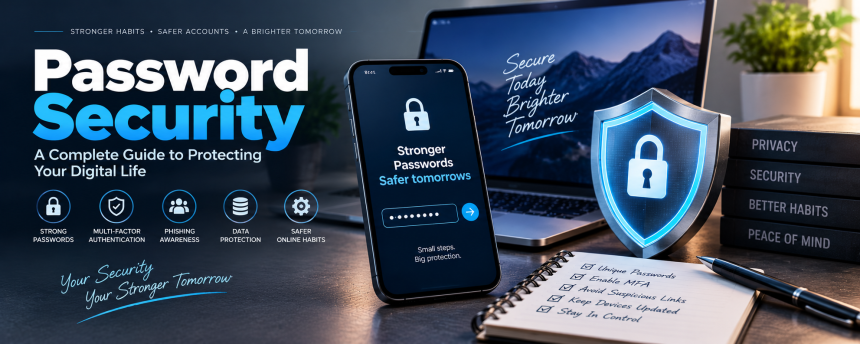
Passwords may seem like a small part of everyday technology, but they are often the first barrier between your personal information and someone who should not have access to it. We use them to protect email accounts, social media profiles, banking services, shopping accounts, cloud storage, smartphones, and countless other digital services.
The problem is that many people still use weak, repeated, or predictable passwords. Others create a strong password once and then use it everywhere. That can turn one compromised account into a much bigger problem.
Think of your password like the key to your home. You would not use the same key for your house, office, car, and safe. If someone copied that key, everything would be at risk. Your online accounts deserve the same level of care.
This guide explains how to create stronger credentials, avoid common mistakes, recognize threats, use modern authentication methods, and build safer habits without making everyday technology unnecessarily complicated.
Why Password Protection Matters
Your online accounts contain far more information than many people realize. An email account might contain private conversations, photographs, documents, receipts, account-recovery messages, and links to other services.
If an attacker gains access to your primary email account, the consequences can extend beyond that single service. They may attempt to reset passwords for other accounts, impersonate you, access stored information, or contact your friends and family.
Financial accounts are an obvious target, but they are not the only ones worth protecting. Social media, cloud storage, gaming profiles, workplace accounts, and shopping services can all contain valuable information.
The biggest risk is often password reuse.
Suppose you use the same password for an online store and your email account. If the store suffers a data breach and your password becomes available to criminals, they may try the same combination on your email. One leaked credential can therefore become a key that opens several doors.
Strong account protection reduces this chain reaction.
It also protects you against everyday threats such as phishing, credential theft, automated login attempts, and unauthorized access from compromised devices.
What Makes a Password Strong?
A strong password should be difficult for another person or automated system to guess. Length is particularly important.
Short passwords can be vulnerable because attackers can test enormous numbers of possible combinations using automated tools. Adding more characters makes the number of possibilities grow dramatically.
A useful approach is to create a long passphrase made from several unrelated words. For example, instead of relying on a short word followed by a few numbers, you could create a memorable phrase using several random words.
The exact words should not be based on information that somebody could easily discover about you.
Avoid using:
- Your name
- Birthday
- Phone number
- Home address
- Children’s names
- Pet names
- Favorite sports team
- Common phrases
- Simple keyboard patterns
- Password123-style combinations
- The same password used elsewhere
Another important point is unpredictability. A password can be long but still weak if it follows a common pattern.
For example, changing Summer2025 to Summer2026 does not provide meaningful protection if an attacker already knows your password habits.
Length plus uniqueness is a powerful combination.
Password Length vs. Complexity
People often hear that passwords need uppercase letters, lowercase letters, numbers, and symbols. Those features can be useful, but they should not distract from the importance of length and uniqueness.
Consider two examples:
Tiger7!
and
river-lamp-orbit-coffee-window
The second is considerably longer and may be easier to remember. If it was generated randomly and is unique to one account, it can provide strong protection.
Of course, websites have different password requirements. Some may require special characters, numbers, or specific lengths. Follow the service’s requirements when creating an account.
But do not assume that adding !1 to an otherwise predictable word automatically creates excellent protection.
A password should not be complicated merely for the sake of being complicated.
It should be difficult for outsiders to predict while remaining practical for you to manage.
This is one reason password managers have become so useful. Instead of trying to remember dozens of complicated credentials, you can allow a trusted manager to create and store unique ones for different accounts.
Why Reusing Passwords Is Dangerous
Reusing the same password across multiple accounts is one of the biggest security risks you can easily avoid.
Imagine that you have ten online accounts and use one password for all of them. Everything appears convenient until one company experiences a breach.
If criminals obtain your email address and password from that breach, they may try those credentials on other popular websites.
This technique is often called credential stuffing. Attackers do not necessarily need to break into each individual account. Instead, they take credentials obtained elsewhere and automatically test them against many services.
This is why every important account should have a different password.
Your email password should not be the same as your social media password. Your banking credentials should not match your shopping account. Your workplace login should also be separate.
One account, one unique password is a simple rule that dramatically limits the damage caused by a single breach.
Even if one service is compromised, your other accounts can remain protected.
How Password Managers Make Life Easier
Managing unique credentials for dozens of accounts sounds difficult. Fortunately, you do not have to memorize all of them.
A password manager is designed to securely store credentials and generate strong passwords for you. Instead of remembering every individual password, you generally need to remember one strong master password.
A good password manager can help you:
- Generate random passwords
- Store login credentials
- Fill forms automatically
- Synchronize information across devices
- Identify weak or reused passwords
- Store secure notes
- Help organize accounts
The key is protecting the master password itself.
It should be long, unique, and difficult to guess. Never share it with another person, and avoid storing it in an insecure location.
Before choosing a password manager, consider its security features, reputation, device compatibility, recovery options, and how it protects stored information.
Convenience should support security rather than replace it.
If a tool makes it easier to use unique passwords everywhere, it can remove one of the biggest obstacles to safer online behavior.
Multi-Factor Authentication Adds Another Layer
A password is useful, but it does not have to be your only line of defense.
Multi-factor authentication (MFA) requires an additional verification step after a password. Depending on the service, that second factor might involve an authentication app, security key, biometric verification, or another approved method.
The idea is straightforward: even if someone obtains your password, they may still be unable to enter the account.
For example, imagine somebody discovers your password through a phishing attack. If your account also requires a physical security key or authentication approval, the stolen password alone may not be enough.
Where available, enable MFA on important accounts, especially:
- Primary email
- Banking and financial services
- Cloud storage
- Work accounts
- Social media
- Password managers
- Accounts containing sensitive information
Not every additional verification method offers the same level of protection. Hardware security keys and properly configured authenticator applications can provide stronger protection against certain attacks than traditional text-message codes.
Still, using an additional factor is generally better than relying on a password alone.
Recognizing Phishing and Social Engineering
Even the strongest password can be compromised if you voluntarily give it to an attacker.
This is where phishing becomes dangerous.
A phishing message may appear to come from a bank, delivery company, employer, social network, or another legitimate organization. It might claim that your account has a problem and ask you to click a link immediately.
The message may create urgency:
“Your account will be suspended today.”
“Confirm your payment immediately.”
“Unusual activity detected.”
“Click here to restore access.”
The goal is to make you act before you have time to think.
Before entering credentials, examine the situation carefully.
Ask yourself:
- Was I expecting this message?
- Does the sender address look legitimate?
- Is the link going to the correct website?
- Is the message creating unnecessary urgency?
- Does the request seem unusual?
- Can I open the official website separately instead?
If something feels suspicious, do not use the link in the message. Instead, open the service directly through its official app or website.
Remember: attackers do not always need to defeat sophisticated security technology. Sometimes they simply convince a person to hand over the key.
Protecting Your Email Account
Your primary email account deserves special attention because it often acts as the recovery gateway for other services.
If someone controls your email, they may be able to request password resets for other accounts.
For that reason, your email account should ideally have:
- A unique, strong password
- Multi-factor authentication
- Updated recovery information
- Security alerts
- Regular login reviews
Check the account’s security settings periodically. Look for unfamiliar devices, locations, or sessions.
If you notice an unfamiliar login, investigate it immediately. Change the password if necessary, revoke suspicious sessions, and review recovery settings.
Also be careful about storing sensitive information in email indefinitely. Email accounts can become extremely valuable targets because they often contain years of personal communication.
What to Do After a Password Is Exposed
Discovering that a password has been leaked can be frightening, but acting quickly can reduce the damage.
First, change the affected password immediately.
If you used the same password anywhere else, change it on those accounts too. Do not simply add a number or symbol to the old version. Create genuinely different credentials.
Next, enable MFA where available.
Then review recent account activity. Look for:
- Unknown login attempts
- Unfamiliar devices
- Changed recovery information
- New forwarding rules
- Unexpected messages
- Unauthorized purchases
- Changes to account settings
If financial information may have been exposed, contact the relevant financial institution through an official channel.
You should also be cautious of follow-up scams. Once criminals know that a particular account may have been compromised, they may send convincing messages pretending to offer assistance.
Never give a password or verification code to someone who contacts you unexpectedly.
Common Password Mistakes to Avoid
Improving your security does not require perfection. It starts by removing the most dangerous habits.
One common mistake is using personal information. If your password contains your birthday, pet’s name, or favorite team, someone who knows you may be able to guess it.
Another problem is predictable substitutions. Replacing an “a” with @ or an “o” with 0 can make a password look complicated while remaining predictable.
Using sequential patterns is another issue. Passwords such as 123456, abcdef, or repeated characters are extremely poor choices.
People also sometimes write passwords on sticky notes attached to monitors or keep them in unsecured documents. Although physical security is different from online security, exposed passwords can still create serious problems.
Avoid these habits:
- Reusing credentials
- Sharing passwords through ordinary messages
- Saving them in unsecured documents
- Using predictable personal information
- Ignoring security alerts
- Disabling MFA without a good reason
- Entering credentials into suspicious websites
- Keeping old passwords indefinitely
Small improvements can make a surprisingly large difference.
Security Habits for Families and Everyday Users
Good digital security is not just for technical professionals.
Parents, students, older adults, employees, and casual internet users all benefit from the same basic principles.
If several family members use shared devices, make sure each person has appropriate account protection. Avoid giving children access to your primary account credentials simply because it is convenient.
Teach younger users to recognize suspicious messages and explain why passwords should not be shared with friends.
For older family members, simple routines can help. A password manager, MFA, automatic updates, and clear rules about suspicious messages can provide meaningful protection without requiring advanced technical knowledge.
At work, organizations should also encourage secure habits rather than expecting employees to remember dozens of complex credentials.
Security works best when it becomes routine.
You do not need to think about every possible cyberattack every day. You simply need habits that make common attacks harder to succeed.
The Future of Login Security
Traditional passwords are gradually being supplemented by newer authentication technologies.
One important development is the use of passkeys. Instead of relying entirely on a memorized password, passkeys can use cryptographic credentials stored on a device or within a supported password manager.
They can also work with device-based authentication such as a fingerprint or facial recognition.
This approach can reduce the need to type passwords and can provide strong resistance against certain phishing techniques.
Biometric authentication is also increasingly common. Fingerprints and facial recognition can make everyday access faster, although they work differently from traditional passwords and should not be viewed as a perfect replacement for every security control.
The broader direction is clear: account protection is becoming more layered.
Passwords remain important, but modern security increasingly combines something you know, something you have, and sometimes something you are.
For everyday users, the goal is not to understand every technical detail. The goal is to use the strongest practical options available.
Building a Simple Personal Security Routine
Improving your digital protection does not have to become a huge project.
Start with your most important accounts.
Step 1: Secure your primary email.
Give it a unique password and activate MFA.
Step 2: Protect financial accounts.
Use unique credentials and enable every appropriate security feature.
Step 3: Stop reusing passwords.
Replace repeated passwords with unique ones, especially on important services.
Step 4: Consider a password manager.
Use it to generate and store strong credentials.
Step 5: Review account activity.
Check for unfamiliar devices and login sessions.
Step 6: Learn to identify phishing.
Slow down whenever a message asks for credentials, payments, or verification codes.
Step 7: Use newer authentication options.
When trusted services support passkeys or hardware-based authentication, consider using them.
Think of this routine as locking your house. You do not inspect every window for an hour each night. You simply develop a consistent habit of locking the doors, checking the important points, and keeping your keys secure.
The same principle applies online.
Conclusion
Strong digital protection begins with simple habits. Use a different credential for every important account, make your passwords long and unpredictable, consider a reputable password manager, and activate multi-factor authentication whenever it is available.
Just as importantly, learn to recognize phishing and suspicious requests. Technology can provide powerful defenses, but your decisions remain an important part of the security process.
You do not need to become a cybersecurity expert to protect yourself better. Start with your email, financial accounts, and other important services. Replace reused credentials, secure your recovery options, and gradually improve the rest.
A few minutes of preparation today can prevent hours of frustration later. In the digital world, good security is less about being perfect and more about making smart, consistent choices.
Frequently Asked Questions
1. How often should I change my password?
You generally do not need to change a strong, unique password simply because a certain amount of time has passed. Change it immediately if you believe it has been exposed, reused after a breach, or otherwise compromised. Using unique credentials and MFA is more important than changing a strong password on an arbitrary schedule.
2. Is it safe to use a password manager?
A reputable password manager can significantly improve account security because it makes it easier to create and maintain unique credentials. The master password protecting the manager is extremely important, so make it strong and protect the account with additional authentication when supported.
3. Are long passwords better than complicated passwords?
Length is extremely important, and long passwords or passphrases can be easier to remember than short combinations filled with symbols. Ideally, credentials should be both sufficiently long and unpredictable. Avoid common phrases or personal information.
4. What should I do if I accidentally enter my password on a phishing website?
Change the exposed password immediately using the legitimate website or official app. If the same password was used elsewhere, change those accounts too. Enable MFA and review account activity for anything suspicious. If financial or highly sensitive information was also submitted, contact the relevant organization through an official channel.
5. Are passkeys safer than traditional passwords?
Passkeys can provide strong protection against several common attacks, including many forms of phishing, because they are based on cryptographic credentials rather than a password that can simply be typed into a fake website. Where reputable services support them, they can be an excellent alternative or complement to traditional login methods.